• Update
    08.10.2026
  • Latest Version
    8.43.0
  • Android OS
    8.0+
  • License
    Free
  • Languages
    English
  • Content Rating
    Everyone
  • Developer
  • Package Name
    com.wevideo.mobile.android

Capture, edit and share incredible videos - anywhere, anytime - for your personal life, school work, and your business with WeVideo’s video editor for Android.

With WeVideo and your mobile device, you don’t need to be a professional to create and share compelling, high-quality videos.

EASY-TO-USE VIDEO EDITOR:

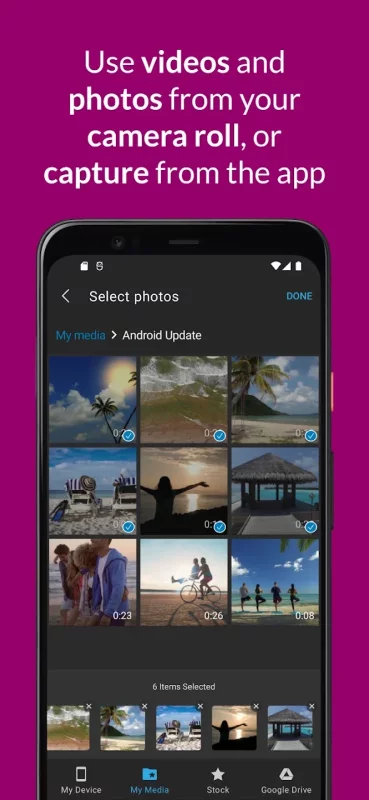
• Use videos and photos from your camera roll on your phone, or capture them from your camera
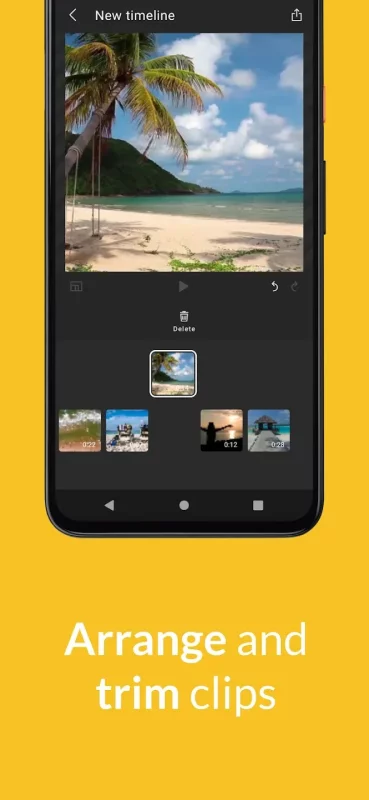
• Arrange and trim clips
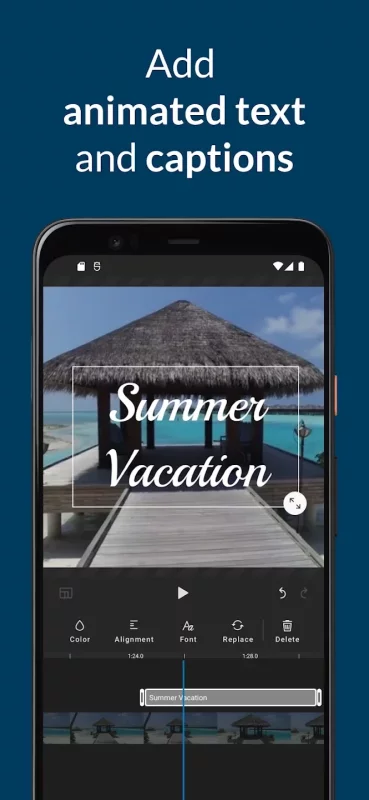
• Add text titles and captions
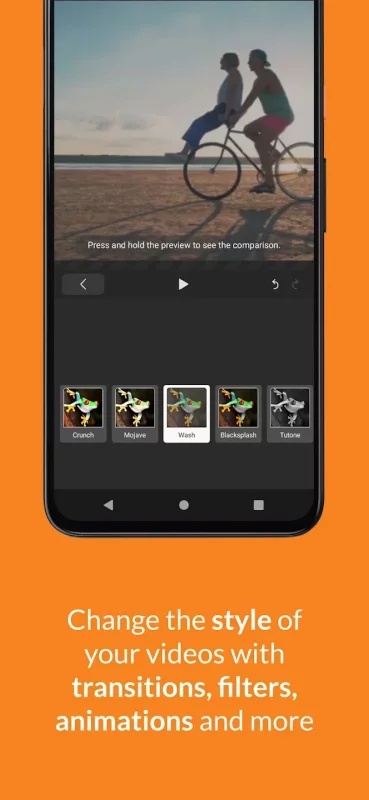
• Change the style of your videos with transitions, filters, animations, and more
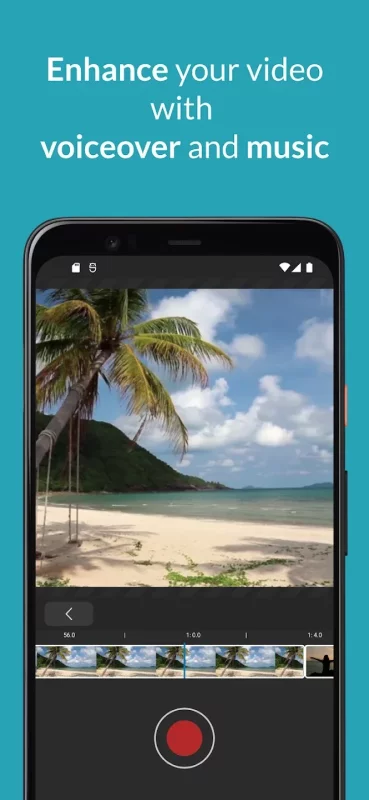
• Enhance your video with voiceover and music tracks
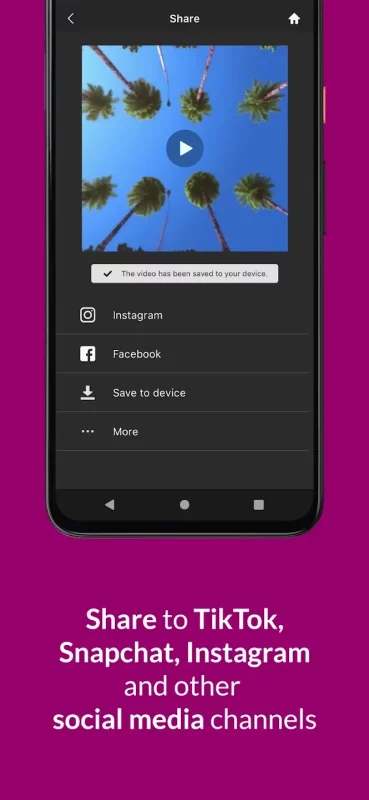
• Share to TikTok, Snapchat, Instagram, and other social media channels

FEATURES

• EASY ACCESS AND CAPTURE
Access photos and videos from your photo library or capture them from your device’s camera
• CUT AND TRIM
Trim video clips and arrange them in the order you want
• TEXT TITLES AND CAPTIONS
Emphasize key points by adding text titles and captions
• AUDIO: MUSIC, SOUND EFFECTS, AND VOICEOVER
Enhance your video with voiceover narration, music tracks, and sound effects*
• EXTENSIVE CONTENT LIBRARY*
Leverage the WeVideo stock library that includes:
⁃ Royalty-free video clips
⁃ Royalty-free music tracks
⁃ Royalty-free photos and illustrations
⁃ Motion titles
⁃ Transitions
⁃ Font
⁃ Filters
• STUNNING VIDEO EFFECTS
⁃ Photo animations - Use the Ken Burns effect to make photos come alive
⁃ Remove the WeVideo watermark (paid plans)

• EASY TO STORE, EXPORT, PUBLISH AND SHARE
⁃ Publish your videos in up to 4K Ultra HD*
⁃ Format your videos in vertical or landscape (9:16, 1:1, 16:9) for easy viewing on any device
⁃ Save to your device or store in the cloud*
⁃ Share directly to social media sites like:
TikTok
Snapchat
Instagram
Facebook

* Dependent on your plan type

Love the WeVideo video editor?
Like us on Facebook: http/www.facebook.com/wevideo
Follow us on Twitter: http://twitter.com/wevideo

Privacy policy: https//www.wevideo.com/privacy
Terms of use: https://www.wevideo.com/terms-of-use
Download Video Editor for Android for free

Download Video Editor 8.43.0 xapk Android 8.0+ ARMV8
85.84 Mb
No viruses found
Permissions (21)
Detections: 0
Check date: 08 October 2026, 03:10
The file was scanned for viruses using VirusTotal.
ACCESS_MEDIA_LOCATION - allows an application to access any geographic locations persisted in the user's shared collection.
ACCESS_NETWORK_STATE - allows applications to access information about networks.
ACCESS_WIFI_STATE - allows applications to access information about wi-fi networks.
BROADCAST_STICKY - allows an application to broadcast sticky intents.
CAMERA - required to be able to access the camera device.
CHANGE_WIFI_STATE - allows applications to change wi-fi connectivity state.
INTERNET - allows applications to open network sockets.
READ_EXTERNAL_STORAGE - allows an application to read from external storage.
READ_MEDIA_AUDIO - allows an application to read audio files from external storage.
READ_MEDIA_IMAGES - allows an application to read image files from external storage.
READ_MEDIA_VIDEO - allows an application to read video files from external storage.
READ_MEDIA_VISUAL_USER_SELECTED - allows an application to read image or video files from external storage that a user has selected via the permission prompt photo picker.
READ_PHONE_STATE - allows read only access to phone state, including the current cellular network information, the status of any ongoing calls, and a list of any phoneaccounts registered on the device.
READ_SYNC_SETTINGS - allows applications to read the sync settings.
READ_SYNC_STATS - allows applications to read the sync stats.
RECORD_AUDIO - allows an application to record audio.
WAKE_LOCK - allows using powermanager wakelocks to keep processor from sleeping or screen from dimming.
WRITE_EXTERNAL_STORAGE - allows an application to write to external storage.
WRITE_SYNC_SETTINGS - allows applications to write the sync settings.
SHA1 signature: b25c7f974fad8967082e3ac16664f22cc951fca3
SHA256 signature: d5a71590afb8cc2f2c403efd0325385777bf849803d920c90461b444d76304e9
How to install XAPK
  1. Download the XAPK file to your Android device.
  2. Install one of these installers from our website:
  3. Open the installer and select the downloaded file from the Downloads folder.
  4. Allow installation from this source if Android asks for permission.
  5. Start installation. To update the app, install the newer file without uninstalling the current version.

⚠If the download fails or gets stuck, try enabling a VPN, disabling your ad blocker, or switching to a different network.
See also
Funimate Video Editor & Maker
Funimate is the best video editing app you can find on mobile! Join millions of Funimate users who
TikTok - Videos, Shop & LIVE
TikTok is the global discovery platform for videos, streaming on LIVE, shopping, and more. Our
Movie Maker
Movie Maker
Movie Maker have a many functionalities to create slideshow Movie. Make Video from your memorial
Video Maker
Video Maker
Video.Guru - AI video maker and video editor from photo & music. The most user friendly
TickTock-TikTok Live Wallpaper
📱Turn your favorite TikTok videos into a live wallpaper background!📱 It's quick, fun, and easy
Mercari: Buy and Sell App
MEET MERCARI: a marketplace built for you. Sell quick and save big all in one, top-rated
Instacart: Get Food Delivery
Get food delivery and grocery orders delivered directly to your door in as fast as 30 minutes with
Step Counter - Pedometer
Wonder how many steps you take throughout the day? Want an easy pedometer and walking app to track
Comments (0)
Loading comments...