ADT Control ®

ADT Control ®

0 votes
  • Update
    02.10.2026
  • Latest Version
    5.10.7
  • Android OS
    9+
  • License
    Free
  • Languages
    English
  • Content Rating
    Everyone
  • Developer
  • Package Name
    com.adt.adtcontrolalarm

Internet of Things, Meet…The Security of Things

Take Control of Your Smart ADT Security Virtually Anywhere

We live in an age when we expect great technology – think of the Internet of Things – to make our lives easier and better. The ADT Control app builds on that notion to create a smarter security and automation system. Let’s call it The Security of Things.

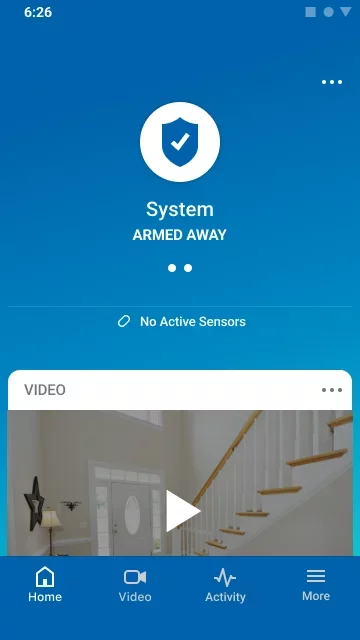
ADT Control offers a seamless transition from at-home or at-work, to mobile smart security and automation. It extends the functionality of your ADT Command smart home or business security system, and puts it in the palm of your hand – virtually anywhere you go around the world. It goes beyond protecting what matters most to you, and delivers really smart security for your home or business.

How the ADT Control app puts you in command of your smart security and automation:

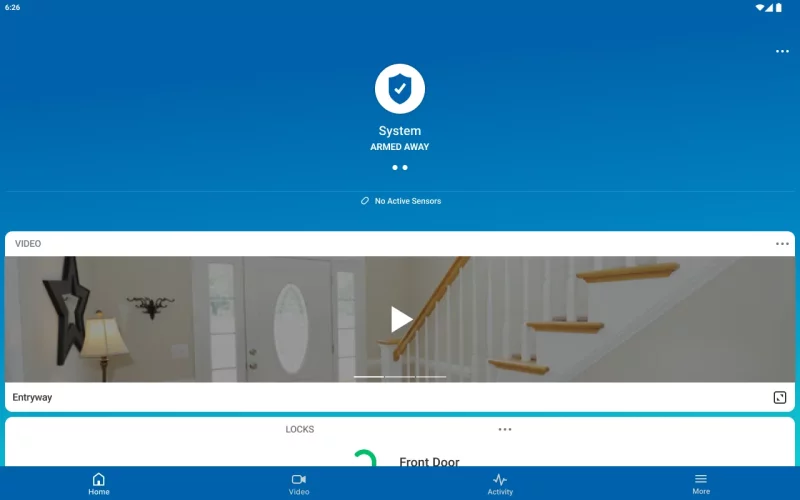
• Arm or disarm your home or business security from virtually anywhere.
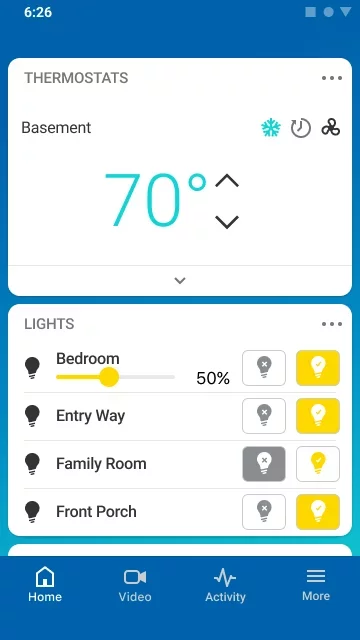
• Control your lights so your home or business always looks occupied.
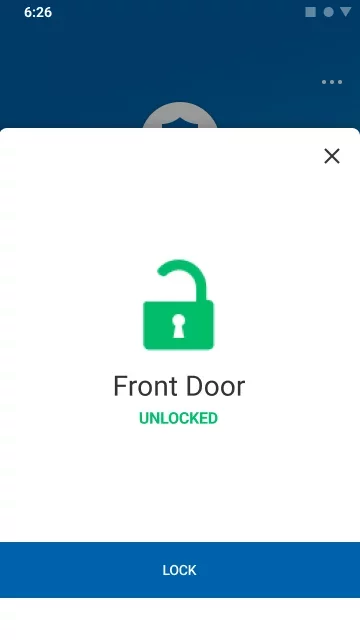
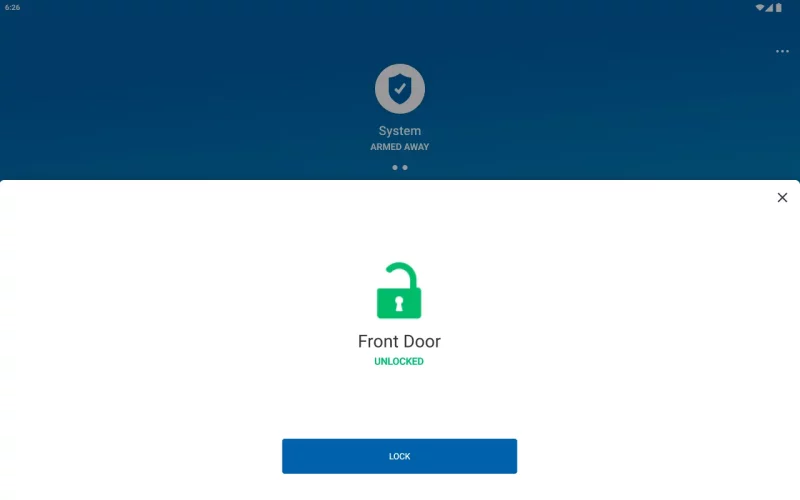
• Lock or unlock your doors remotely to let in contractors, visitors or the dog walker.
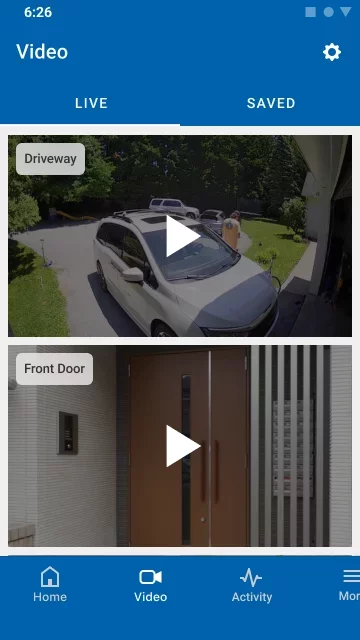
• Receive alerts when your system status changes or a door is unlocked, such as when your kids arrive home or your manager gets to work. Then view live video to check in on them.
• Adjust your smart thermostat to make everyone comfortable and even potentially lower your energy expenses.

Create Scenes and Schedules to bring it all together!
Using the ADT Control app, you can create scenes and schedules that give you the ultimate one-touch control of your smart home or business security and automation:
• Set up automations for leaving or arriving to your home or business.
• Create a vacation Scene that turns on different lights at different times, turns the TV or radio on and off, and generally makes it look like you’re home when you’re away.
• Adjust your system for different times of day so your security, lighting, temperature and other smart features are at the perfect settings, at the right time.
Download ADT Control ® for Android for free

Download ADT Control ® 5.10.7 apk Android 9+ ARMV7
104.51 Mb
No viruses found
Permissions (40)
Detections: 0
Check date: 02 October 2026, 15:55
The file was scanned for viruses using VirusTotal.
BLUETOOTH - allows applications to connect to paired bluetooth devices.
BLUETOOTH_ADVERTISE - required to be able to advertise to nearby bluetooth devices.
BLUETOOTH_SCAN - required to be able to discover and pair nearby bluetooth devices.
BLUETOOTH_CONNECT - required to be able to connect to paired bluetooth devices.
NFC - allows applications to perform i/o operations over nfc.
GET_ACCOUNTS - allows access to the list of accounts in the accounts service.
WAKE_LOCK - allows using powermanager wakelocks to keep processor from sleeping or screen from dimming.
READ_CONTACTS - allows an application to read the user's contacts data.
INTERNET - allows applications to open network sockets.
READ_MEDIA_VISUAL_USER_SELECTED - allows an application to read image or video files from external storage that a user has selected via the permission prompt photo picker.
WRITE_EXTERNAL_STORAGE - allows an application to write to external storage.
READ_PHONE_STATE - allows read only access to phone state, including the current cellular network information, the status of any ongoing calls, and a list of any phoneaccounts registered on the device.
RECORD_AUDIO - allows an application to record audio.
CAMERA - required to be able to access the camera device.
RECEIVE_BOOT_COMPLETED - allows an application to receive the intent.action_boot_completed that is broadcast after the system finishes booting.
ACCESS_FINE_LOCATION - allows an app to access precise location.
ACCESS_COARSE_LOCATION - allows an app to access approximate location.
ACCESS_BACKGROUND_LOCATION - allows an app to access location in the background.
VIBRATE - allows access to the vibrator.
ACCESS_NETWORK_STATE - allows applications to access information about networks.
CHANGE_NETWORK_STATE - allows applications to change network connectivity state.
ACCESS_WIFI_STATE - allows applications to access information about wi-fi networks.
CHANGE_WIFI_STATE - allows applications to change wi-fi connectivity state.
CHANGE_WIFI_MULTICAST_STATE - allows applications to enter wi-fi multicast mode.
FOREGROUND_SERVICE - allows a regular application to use service.startforeground.
FOREGROUND_SERVICE_CONNECTED_DEVICE - allows a regular application to use service.startforeground with the type "connecteddevice".
FOREGROUND_SERVICE_HEALTH - allows a regular application to use service.startforeground with the type "health".
FOREGROUND_SERVICE_PHONE_CALL - allows a regular application to use service.startforeground with the type "phonecall".
MANAGE_OWN_CALLS - allows a calling application which manages its own calls through the self-managed connectionservice apis.
FOREGROUND_SERVICE_LOCATION - allows a regular application to use service.startforeground with the type "location".
ACTIVITY_RECOGNITION - allows an application to recognize physical activity.
USE_BIOMETRIC - allows an app to use device supported biometric modalities.
POST_NOTIFICATIONS - allows an app to post notifications
REQUEST_IGNORE_BATTERY_OPTIMIZATIONS - permission an application must hold in order to use settings.action_request_ignore_battery_optimizations.
USE_FULL_SCREEN_INTENT - required for apps targeting build.version_codes.q that want to use notification full screen intents.
BLUETOOTH_ADMIN - allows applications to discover and pair bluetooth devices.
ACTIVITY_RECOGNITION - allows an application to recognize physical activity.
USE_FINGERPRINT - this constant was deprecated in api level 28. applications should request use_biometric instead
MODIFY_AUDIO_SETTINGS - allows an application to modify global audio settings.
READ_EXTERNAL_STORAGE - allows an application to read from external storage.
SHA1 signature: f03d97d578467de0fb83e2ded1f6a5b4ad577c20
SHA256 signature: 5fcdc6e1b020d4f05217f05cbb1dacf4355dd99bfba418b9f7ebb1020b304375
How to install APK
  1. Download the APK file to your Android device.
  2. Find the file in the Downloads folder and open it.
  3. Allow installation from this source if Android blocks it.
  4. Tap Install. To update the app, install the newer APK without uninstalling the current version.

⚠If the download fails or gets stuck, try enabling a VPN, disabling your ad blocker, or switching to a different network.
More by ADT LLC
ADT Pulse ®
ADT Pulse ®
For Home and Business The ADT Pulse® app allows you to control your home or business security and
See also
Zillow: Homes for Sale & Rent
Find your new home to buy or rent with expert real estate tools and millions of listings right at
Find My Phone: Find Lost Phone
Find My Phone has over 15 Million downloads. Find Lost Phone is one of best lost phone finder
Instacart: Get Food Delivery
Get food delivery and grocery orders delivered directly to your door in as fast as 30 minutes with
TikTok - Videos, Shop & LIVE
TikTok is the global discovery platform for videos, streaming on LIVE, shopping, and more. Our
Funimate Video Editor & Maker
Funimate is the best video editing app you can find on mobile! Join millions of Funimate users who
Make Money: Play to Earn Cash
Join millions using the Mode Earn App to earn rewards through everyday activities! Mode Earn App
Street View Map and Navigation
Street View Map and Navigation The street view map and navigation app is a complete GPS navigation
Calorie Counter by Lose It!
Lose It! Is your personal calorie counter, diet planner, nutrition-focused food tracker and weight
Comments (0)
Loading comments...