Filmora: AI Video Editor&Maker

Filmora: AI Video Editor&Maker

0 votes
  • Update
    30.09.2026
  • Latest Version
    15.7.01
  • Android OS
    7.0+
  • License
    Free
  • Languages
    English
  • Content Rating
    Everyone
  • Developer
  • Package Name
    com.wondershare.filmorago

Filmora is an AI-based video editor & movie maker, helping you create viral videos perfectly tailored for TikTok, Instagram, YouTube, and beyond.
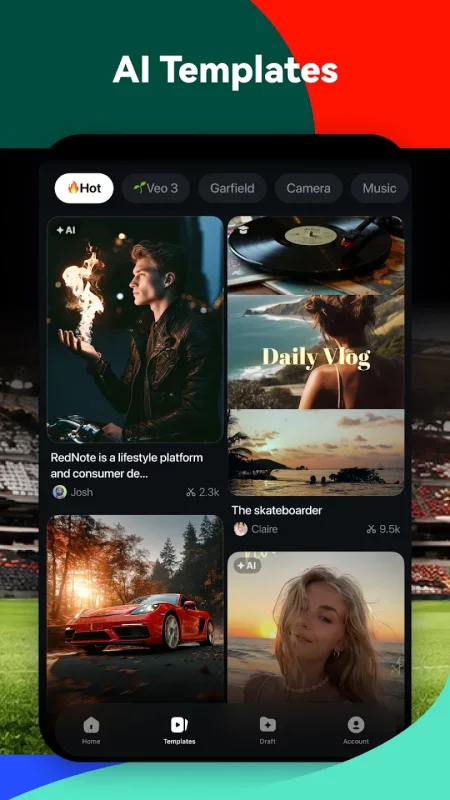
Packed with AI tools, thousands of templates, and powerful editing features, Filmora gives you everything you need to make content that truly stands out.

🤖AI Video Creation
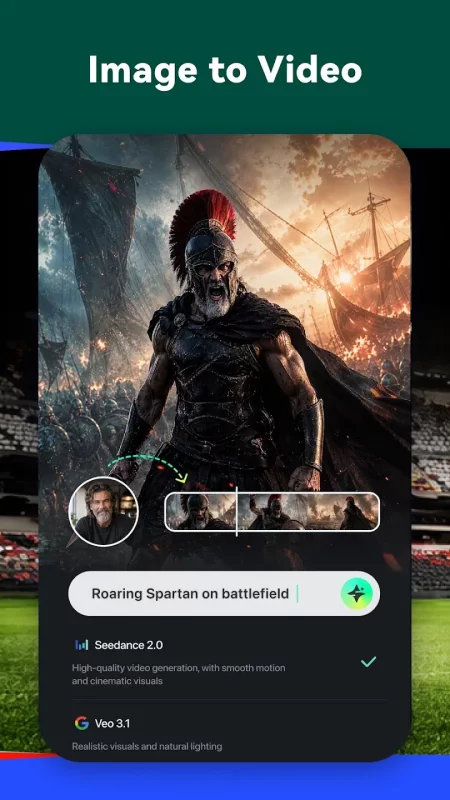
🔮Image & Text to Video
- Write a description or upload a photo and watch AI turn it into a stunning, high-quality video clip.
📖Story to Video
- Give AI your storyline and watch it unfold into a full, scene-by-scene AI short drama complete with visuals, pacing, and cinematic flow. Your next viral series starts here.
📣Marketing Video
- One product image is all it takes. Choose from a range of AI-powered templates and turn it into a polished, scroll-stopping video ad in minutes.
🖼️VideoGen
- Tell AI exactly what you want — swap, add, or transform any element in your video.

✂️Smart Editing
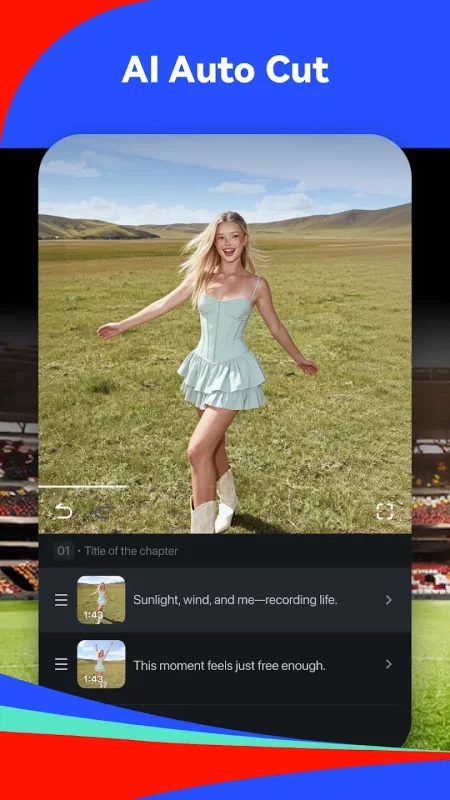
🎞AI Auto Cut
- Automatically picks your best moments and cuts them into a cinematic highlight reel.
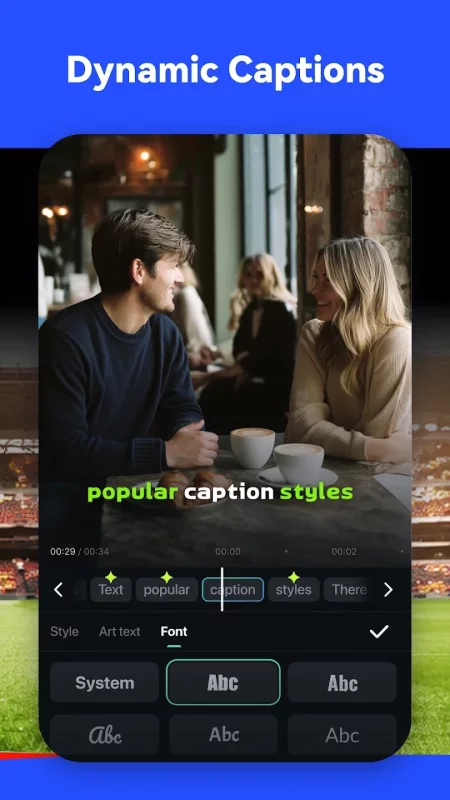
📜AI Captions
- Accurate, word-by-word captions auto-generated from your audio in multiple languages.
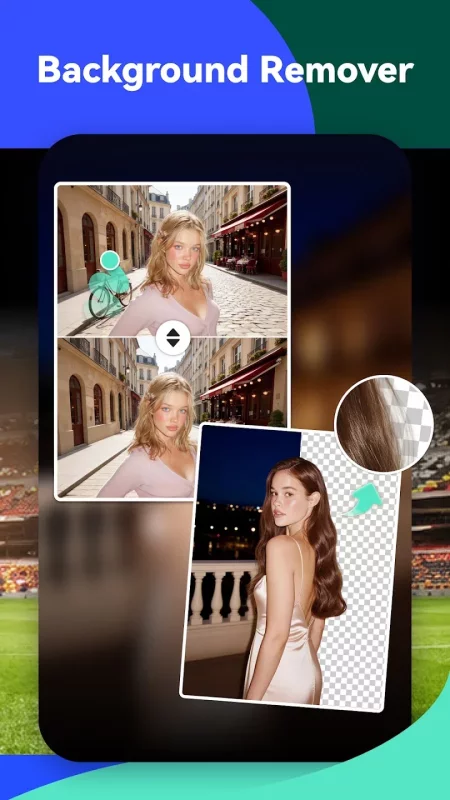
🧽b>AI Remover
- Remove backgrounds, unwanted objects, or distractions from your shots in one tap.
🎙️Text to Speech
- Turn your script into voiceovers with a huge library of high-quality voices to choose from.
🎵AI Music, Beats & Sound Effects
- Generate royalty-free music, sync cuts to the beat, and add soundscapes that fit your video perfectly.

🎬Easy Editing for Every Creator
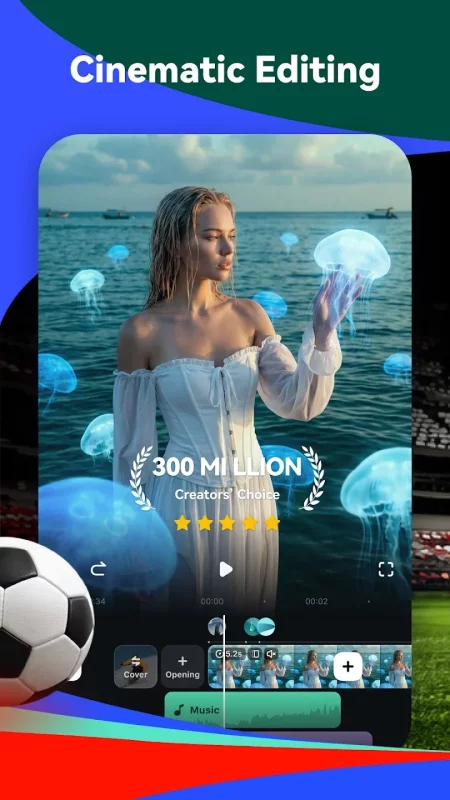
- Stunning templates help create videos in one click.
- Fast, intuitive timeline editing to cut and rearrange clips without quality loss.
- Add text, stickers, filters, and transitions to set your style.
- Built-in royalty-free music library with full audio editing tools.
- Speed ramp for smooth slow-mo or punchy time-lapse effects.
- Rotate, crop, and reframe your shots with ease.
- Share to TikTok, Instagram, YouTube, and more with the perfect format in one tap.

🏆Advanced Tools When You Need Them
- Keyframe control for precise motion, color, and effect animations.
- Speed Curve: smooth ramp effects with preset or custom curves.
- Multi-track editing: build complex scenes by stacking video, image, text, and effect layers independently.
- Masking and blending for seamless, creative transitions.
- Smart Tracking: follow faces, objects, or any target automatically.

🌟Filmora Subscription Plans
- With Filmora Pro Benefits, you can access all features and paid editing materials, including stickers, filter packages, and more. Watermark and Logo Roll will be removed automatically.
- You can turn off auto-renewal at any time through your Account Settings.
- Any unused portion of a free trial period, if offered, will be forfeited upon purchase of a subscription.

💖 Follow Filmora
YouTube: https://www.youtube.com/c/FilmoraWondershare
Facebook: https://www.facebook.com/filmoravideoeditor
Instagram: https://www.instagram.com/filmora_editor
📧 Contact Us
mailer@service.wondershare.com
Download Filmora: AI Video Editor&Maker for Android for free

Download Filmora: AI Video Editor&Maker 15.7.01 xapk Android 7.0+ ARMV8
255.8 Mb
No viruses found
Permissions (51)
Detections: 0
Check date: 30 September 2026, 08:55
The file was scanned for viruses using VirusTotal.
ACCESS_MEDIA_LOCATION - allows an application to access any geographic locations persisted in the user's shared collection.
ACCESS_NETWORK_STATE - allows applications to access information about networks.
ACCESS_NOTIFICATION_POLICY - marker permission for applications that wish to access notification policy.
ACCESS_WIFI_STATE - allows applications to access information about wi-fi networks.
CAMERA - required to be able to access the camera device.
CHANGE_NETWORK_STATE - allows applications to change network connectivity state.
FOREGROUND_SERVICE - allows a regular application to use service.startforeground.
FOREGROUND_SERVICE_DATA_SYNC - allows a regular application to use service.startforeground with the type "datasync".
INTERNET - allows applications to open network sockets.
KILL_BACKGROUND_PROCESSES - allows an application to call activitymanager.killbackgroundprocesses(string).
POST_NOTIFICATIONS - allows an app to post notifications
READ_CALENDAR - allows an application to read the user's calendar data.
READ_EXTERNAL_STORAGE - allows an application to read from external storage.
READ_MEDIA_AUDIO - allows an application to read audio files from external storage.
READ_MEDIA_IMAGES - allows an application to read image files from external storage.
READ_MEDIA_VIDEO - allows an application to read video files from external storage.
READ_MEDIA_VISUAL_USER_SELECTED - allows an application to read image or video files from external storage that a user has selected via the permission prompt photo picker.
READ_PHONE_STATE - allows read only access to phone state, including the current cellular network information, the status of any ongoing calls, and a list of any phoneaccounts registered on the device.
RECEIVE_BOOT_COMPLETED - allows an application to receive the intent.action_boot_completed that is broadcast after the system finishes booting.
RECORD_AUDIO - allows an application to record audio.
SCHEDULE_EXACT_ALARM - allows applications to use exact alarm apis.
SYSTEM_ALERT_WINDOW - allows an app to create windows using the type windowmanager.layoutparams.type_application_overlay, shown on top of all other apps.
VIBRATE - allows access to the vibrator.
WAKE_LOCK - allows using powermanager wakelocks to keep processor from sleeping or screen from dimming.
WRITE_CALENDAR - allows an application to write the user's calendar data.
WRITE_EXTERNAL_STORAGE - allows an application to write to external storage.
WRITE_SETTINGS - allows an application to read or write the system settings.
INSTALL_SHORTCUT - allows an application to install a shortcut in launcher.
WRITE_SETTINGS - allows an application to read or write the system settings.
SHA1 signature: f6c2f821e9ba3e5f7aa664fa5ceb67c61ea7c03f
SHA256 signature: 5c154b9d9daa7be14ec188f08fb18ce9040182580ee0f7a7d4c4e3e71deef654
How to install XAPK
  1. Download the XAPK file to your Android device.
  2. Install one of these installers from our website:
  3. Open the installer and select the downloaded file from the Downloads folder.
  4. Allow installation from this source if Android asks for permission.
  5. Start installation. To update the app, install the newer file without uninstalling the current version.

⚠If the download fails or gets stuck, try enabling a VPN, disabling your ad blocker, or switching to a different network.
See also
Canva: AI Photo & Video Editor
Canva is your free photo editor, logo maker, collage maker, and video editor in one editing app!
Funimate Video Editor & Maker
Funimate is the best video editing app you can find on mobile! Join millions of Funimate users who
Video Maker
Video Maker
Video.Guru - AI video maker and video editor from photo & music. The most user friendly
Video Editor & Maker - InShot
InShot - Powerful all-in-one Video Editor and Video Maker with professional features. Add music,
Picsart AI Photo Editor, Video
Ignite your creative potential with Picsart — the all-in-one AI photo editor, AI video editor, and
Lightroom Photo & Video Editor
Ever wish your photos could really show what makes a moment special? Adobe Lightroom is a free
Pixlr AI Photo & Video Editor
Unleash your creativity with Pixlr AI Art Photo Editor (formerly Pixlr Express) – your go-to free
Collage Maker | Photo Editor
GridArt Collage Maker is your go-to photo collage maker and photo frame app in pics art trip. Just
Comments (0)
Loading comments...