
- Update16.10.2026
- Latest Version3.17.5
- Android OS8.0+
- LicenseFree
-
LanguagesEnglish བོད་སྐད་, English, Español, हिन्दी, Bahasa Indonesia, 日本語, 한국어, Português, Русский, ไทย, Tiếng Việt, 中文
- Content RatingEveryone
- DeveloperMeitu (China) Limited
- Package Namecom.meitu.wink
Wink is the AI video and photo enhancer that fixes any clip in one tap. Upscale to 4K HD, restore old videos, unblur photos — old home videos, phone footage, whatever you've got.
[ PERFECT FOR ]
• Restoring old family videos, VHS tapes, and home movies
• Fixing blurry, shaky, or low-quality phone footage
• Upscaling videos for trending short-form video platforms
• Reviving faded photos and damaged memories
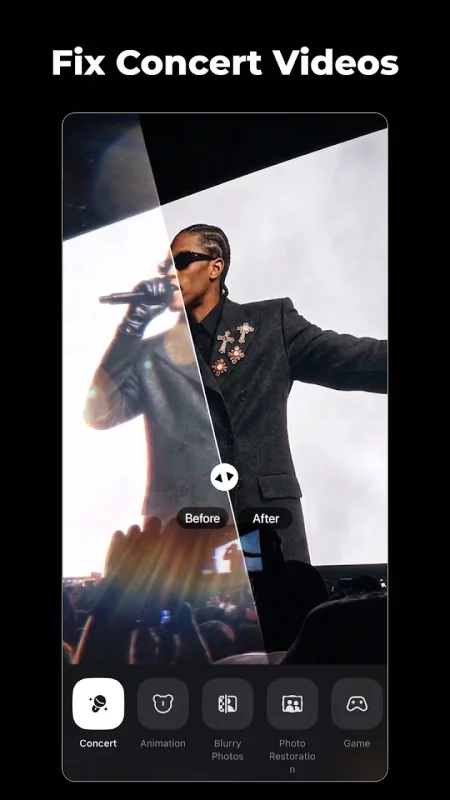
• Polishing night-out clips, travel vlogs, and gaming highlights
• Anyone who wants pro-quality video without the editing skills
[ VIDEO & PHOTO ENHANCER ]
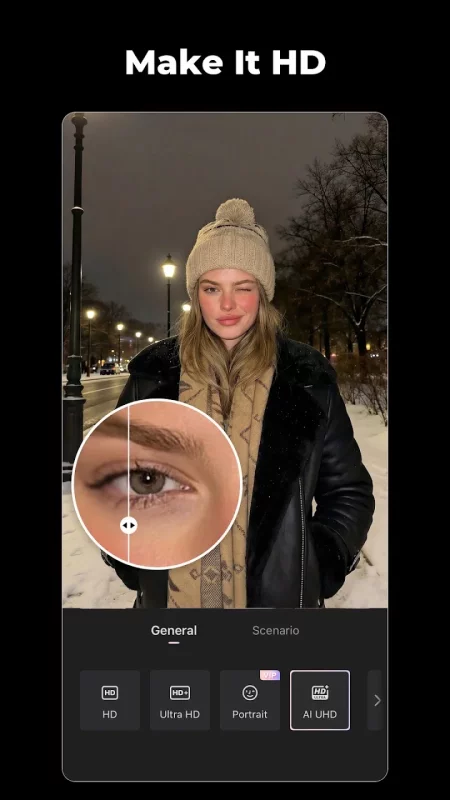
• HD Quality Enhancer: Fix blurry, low-quality videos and photos — no editing skills needed
• 4K Super Resolution: Upscale 480p and 720p videos into crisp 4K Ultra HD
• Adjustable Enhancement: Fine-tune the fix strength to keep results natural — no over-processed AI look
• 7 Scene-Specific Models: Dedicated fixes for gaming clips, night-out footage, old photo restoration, and more
• AI Repair Pro: Auto mode detects quality issues and applies the best fix, or switch to Basic to manually tune color, night view, and denoise
• Batch Fix: Enhance multiple videos and photos — save hours of editing
• Unblur Video: Sharpen out-of-focus clips and rebuild lost detail
• Old Video Restore: Bring faded, pixelated, or damaged footage back to life
[ VIDEO RETOUCH ]
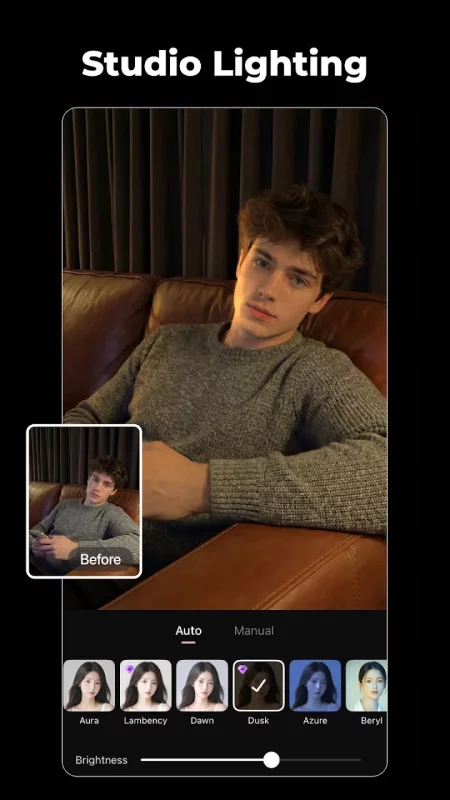
• Fill Light: Brighten faces and fix uneven lighting for natural, flattering portraits
• Hair Color Changer: Try new hair colors in seconds — instantly preview before you commit
• Wrinkle & Eye Bag Removal: Soften fine lines and fatigue with natural-looking results
• Teeth Whitening: Get a brighter smile with a single tap
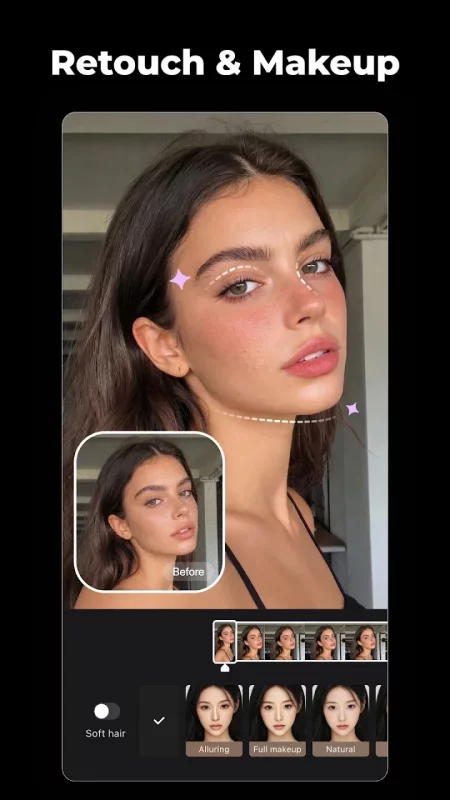
• Skin Retouch: Smooth skin and clear up acne while keeping a natural texture
• Face Enhance & Jawline Refine: Subtle contouring that moves naturally with you
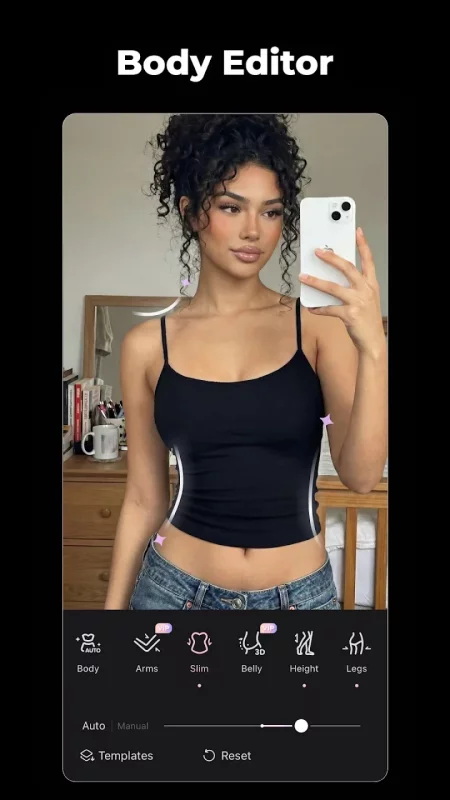
• Body Editor & Shape Adjustment: Refine your ideal look with our background-lock feature
• Makeup Filters: Polished looks that hold up in motion
• Multi-Face Detection: Edit each person in a group video separately
[ CREATIVE EFFECTS ]
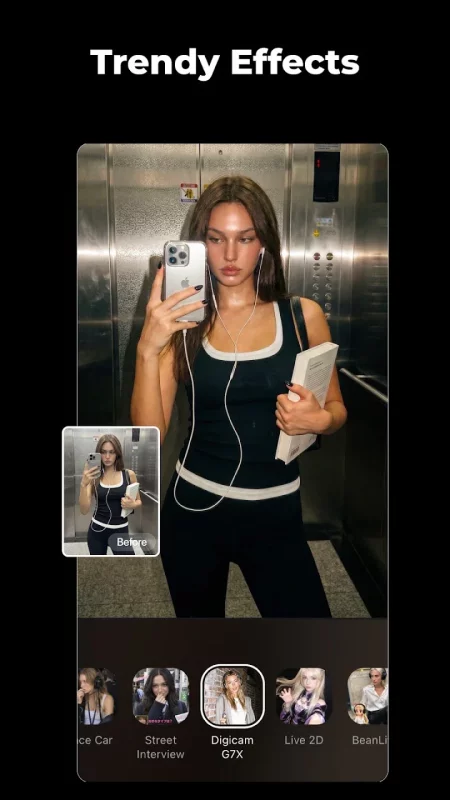
• DigiCam Effect: Recreate the viral Y2K digital camera aesthetic
• Live Wallpaper: Turn photos into adorable animated wallpapers
• Auto Subtitles: Generate accurate captions in 10+ languages — perfect for social clips
• Anime, Cartoon & Avatar Styles: Transform any photo into fun artistic looks in seconds
• Trending Effects: New viral styles added every month
[ WHY WINK ]
• Built by Meitu — over 1 billion installs worldwide
• Trusted by millions to restore old memories and create viral content
• Privacy-first: your videos are processed securely and never shared
• New AI models and effects added every month
• Works on any video — old home videos, phone clips, social content
[ WINK VIP ]
Unlock premium features and exclusive effects with Wink VIP.
• Unlimited 4K video enhancement
• All premium AI models and scene-specific fixes
• Exclusive filters and effects
• Watermark-free exports
• Priority processing
[ Subscription Info ]
Subscriptions are billed weekly, monthly, or annually to your Google Play account and auto-renew unless canceled at least 24 hours before the end of the billing period. Manage or cancel anytime in your Google Play subscription settings.
• Terms of Service: https://pro.meitu.com/wink-cut/agreements/common/service-global.html?lang=en
• Privacy Policy: https://pro.meitu.com/wink-cut/agreements/common/policy-global.html?lang=en
Download Wink: Video Enhancer & Editor for Android for free
- Download the XAPK file to your Android device.
- Install one of these installers from our website:
- Open the installer and select the downloaded file from the Downloads folder.
- Allow installation from this source if Android asks for permission.
- Start installation. To update the app, install the newer file without uninstalling the current version.