
- Update12.10.2026
- Latest Version1.4.67
- Android OS6.0+
- LicenseFree
-
LanguagesEnglish Afrikaans, አማርኛ, العربية, অসমীয়া, Azərbaycan dili, Беларуская, Български, বাংলা, Bosanski, Català, Čeština, Dansk, Deutsch, Ελληνικά, English, Español, Eesti, Euskara, فارسی, Suomi, Français, Galego, ગુજરાતી, हिन्दी, Hrvatski, Magyar, Հայերեն, Bahasa Indonesia, Íslenska, Italiano, עברית, 日本語, ქართული, Қазақ тілі, ខ្មែរ, ಕನ್ನಡ, 한국어, Кыргызча, ລາວ, Lietuvių, Latviešu, Македонски, മലയാളം, Монгол, मराठी, Bahasa Melayu, မြန်မာ, Norsk bokmål, नेपाली, Nederlands, Norsk, ଓଡ଼ିଆ, ਪੰਜਾਬੀ, Polski, Português, Română, Русский, සිංහල, Slovenčina, Slovenščina, Shqip, Српски, Svenska, Kiswahili, தமிழ், తెలుగు, ไทย, Tagalog, Türkçe, Українська, اردو, Oʻzbekcha, Tiếng Việt, Èdè Yorùbá, 中文, isiZulu
- Content RatingTeen
- DeveloperThe Loving Story
- Package Namecom.map.measure2
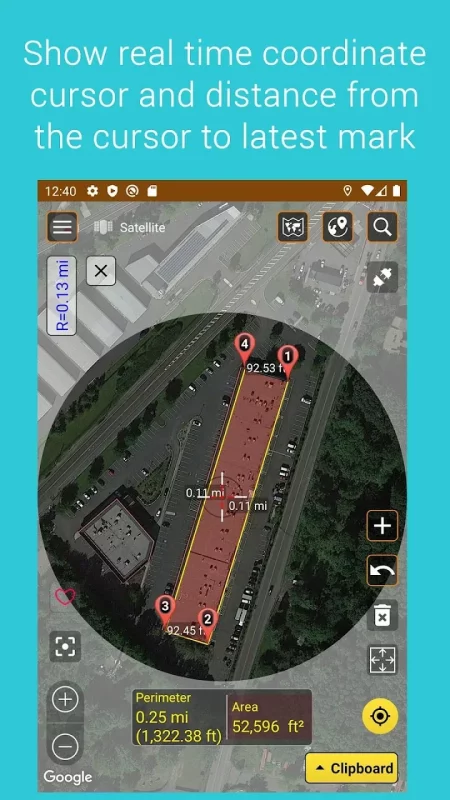
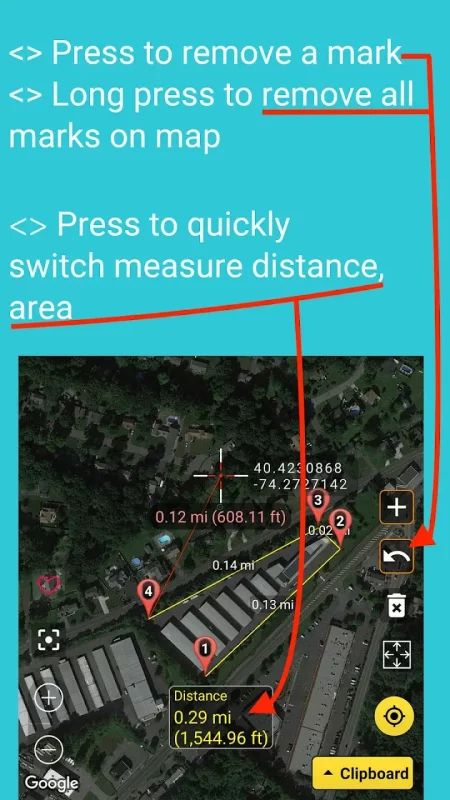
Measure Map is an application support distance calculator to find out the distance between two or more points anywhere on the earth. In other words, the distance between A and B. Click once on the map to place the first marker and then click again to position the second marker. The distance between the points will then be displayed. And You can drop a marker at an exact, predefined distance by entering your desired value first.
You can also build up a series of locations to find a total distance.
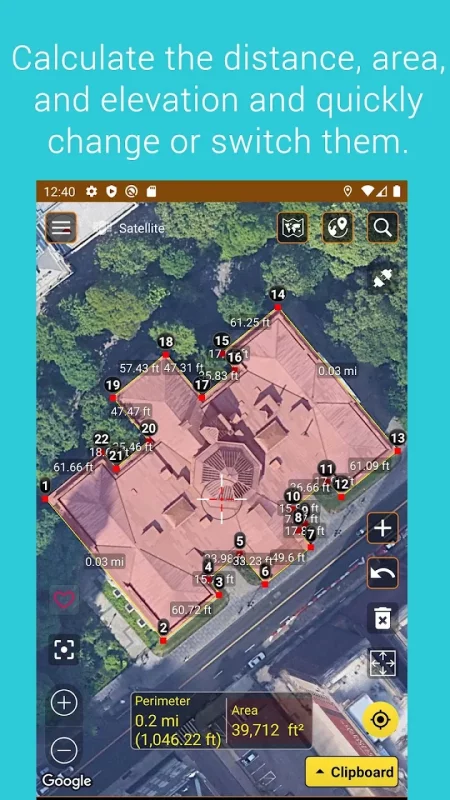
A minimum of two markers are required to measure distance and a minimum of three markers to measure an area.
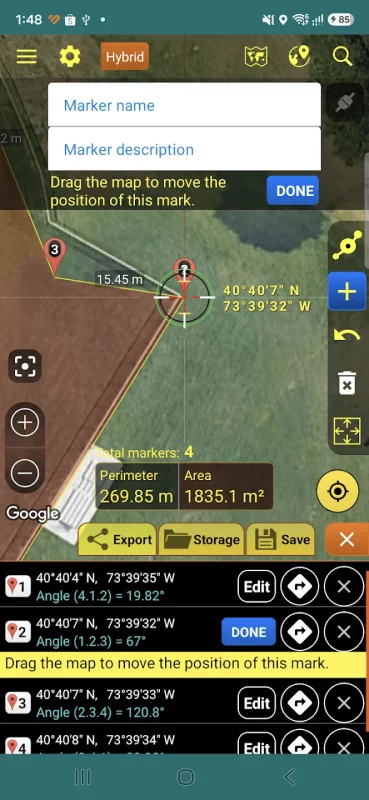
There are 2 ways to you can move your marked points on the map.
-Touch and hold for 3 seconds on the marker and move then marker moves.
-You select the Clipboard button in the bottom-right corner of the main screen -> see the list of the markers on the map -> select edit, move the map to change the position of the marker you want.
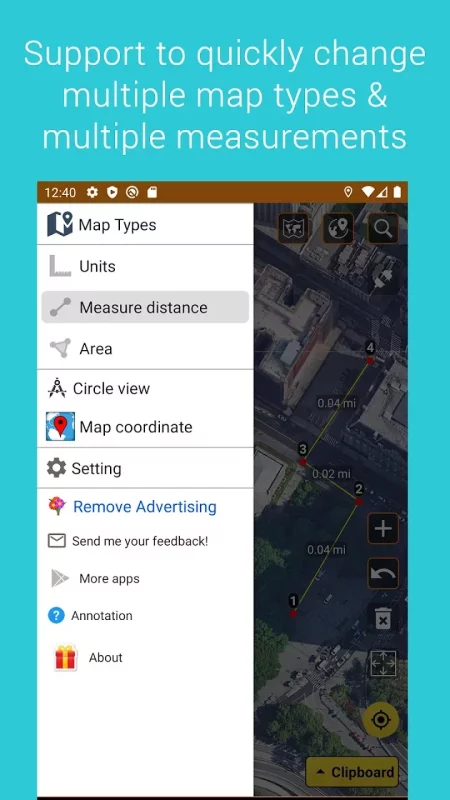
✪ Distance results will be output in meters, kilometers, nautical mile, feet & miles, yards.
✪ Area will be output in meters², kilometers², feet², nmi², yards², acres and hectare.
✪ Quickly change map types: Normal, satellite, terrain, hybrid
✪ Share coordinate at your position
✪ Share and import list marks on map
✪ Import/export markers from/to KML, KMZ, CSV files
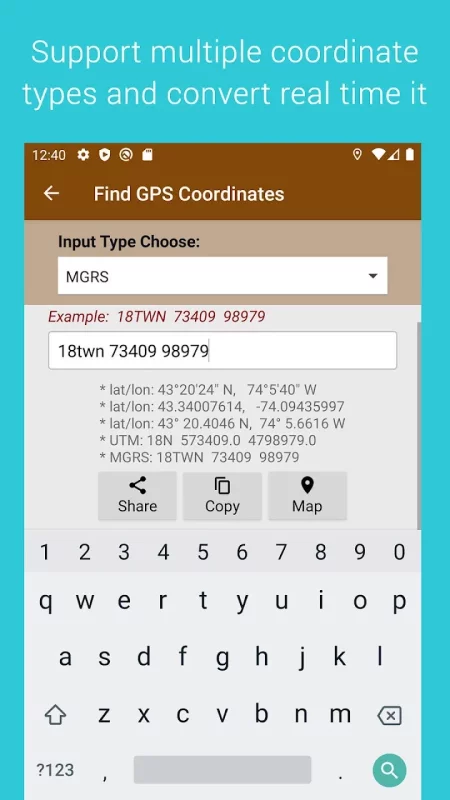
✪ Show UTM, MGRS coordinates
✪ Support VN2000 Coordinates
Reference from Nasa library: github.com/Berico-Technologies/Geo-Coordinate-Conversion-Java
having format like maptools.com/tutorials/utm/quick_guide
- The application use some icons in website:
# icons8.com
# freepik.com/
# clipartbro.com/
# logo reference from alpha.wallhaven.cc/wallpaper/379827
---
Preference Lib:
github.com/pengrad/MapScaleView
*This Application reference algorithm and some icons from github.com/j4velin/MapsMeasure of J4velin, thank J4velin !
---
Thank you for using my app !
Download Measure map for Android for free
- Download the XAPK file to your Android device.
- Install one of these installers from our website:
- Open the installer and select the downloaded file from the Downloads folder.
- Allow installation from this source if Android asks for permission.
- Start installation. To update the app, install the newer file without uninstalling the current version.