• Update
    08.10.2026
  • Latest Version
    15.Beta 3
  • Android OS
    8.0+
  • License
    Free
  • Languages
    English
  • Content Rating
    Everyone
  • Developer
  • Package Name
    app.lawnchair.play

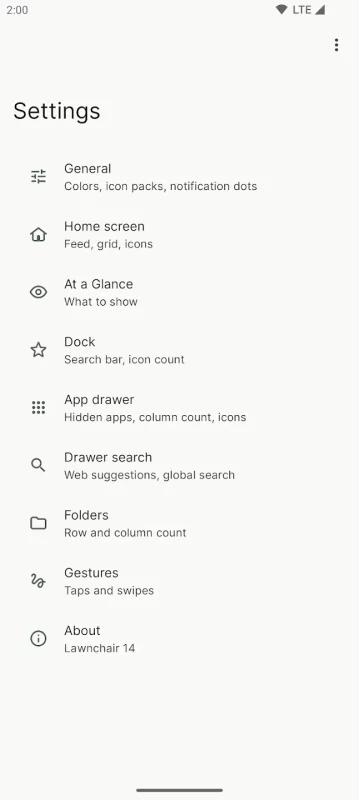
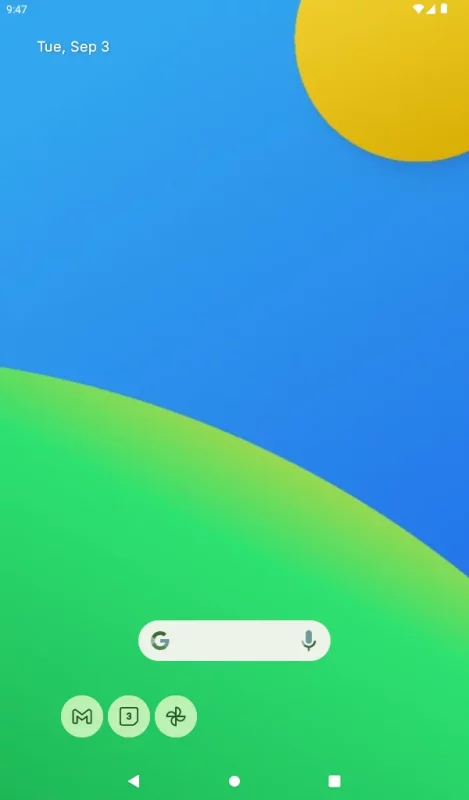
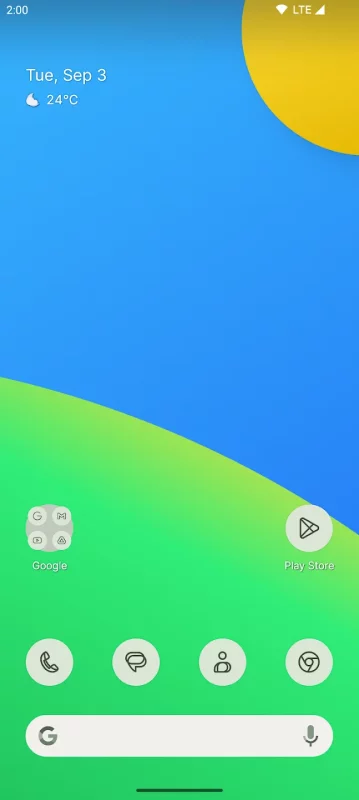
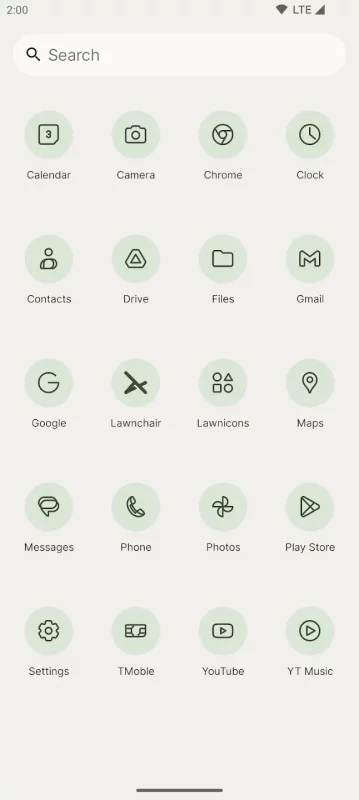
Lawnchair is a free, open source home screen replacement based on Launcher3 from the Android open source project. The app aims to provide an experience similar to that of the Pixel Launcher, while offering more features.

Key highlights:
* Material You support (with dark theme and color customizations)
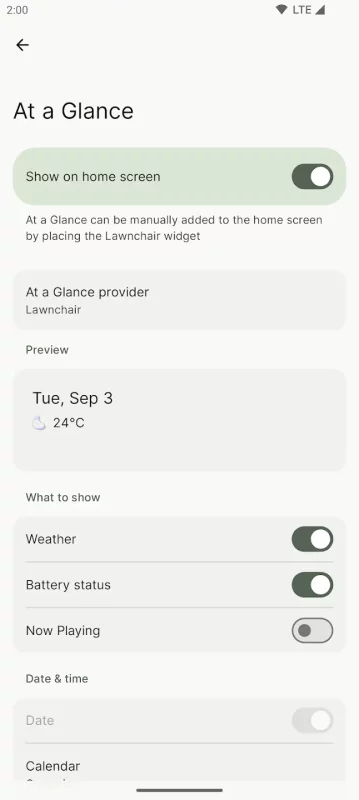
* At a Glance support, alongside Smartspacer app support
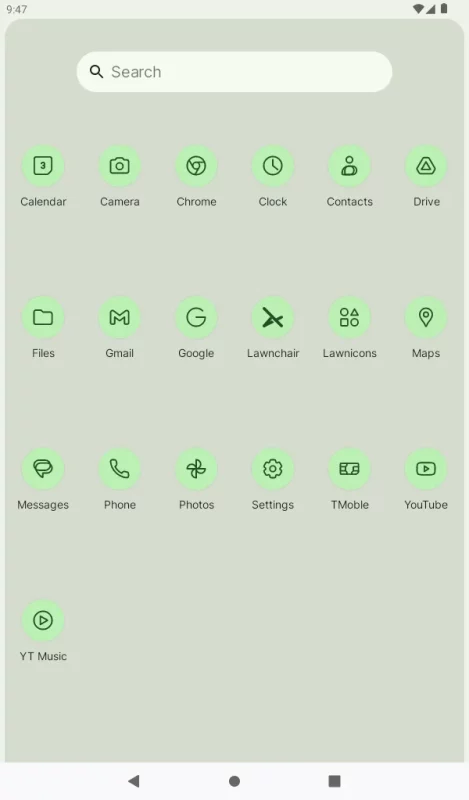
* Rich grid and icon customizations
* Local, on-device search support
* Optional integration with Android Recents¹

Lawnchair is still in beta, so not all features and bugs fixes have been fixed yet. We plan on releasing a stable release when Lawnchair meets all features in Lawnchair Legacy, alongside our quality standards.

Get help and support
Visit https://lawnchair.app to view more info, and see our discussion channels for help and support.

Notes
1. Requires QuickSwitch, found at t.me/QuickstepSwitcherReleases

Permission explanations
Lawnchair uses the AccessibilityService permission for optional support of making certain system functions more accessible, such as with desktop gestures, like turning the screen off. Lawnchair will automatically prompt you to enable this if it is necessary for your configuration; for many cases it is not! No data is collected from the AccessibilityService; it is merely used to invoke system actions.

Lawnchair uses the Device Administrator permission to lock the screen when a selected gesture is detected. This is optional and disabled by default.
Download Lawnchair for Android for free

Download Lawnchair 15.Beta 3 xapk Android 8.0+ ARMV8
13.55 Mb
No viruses found
Permissions (24)
Detections: 0
Check date: 08 October 2026, 05:10
The file was scanned for viruses using VirusTotal.
ACCESS_HIDDEN_PROFILES - allows applications to access profiles with android.content.pm.userproperties#profile_api_visibility_hidden user property, e.g. usermanager.user_type_profile_private.
BIND_APPWIDGET - allows an application to tell the appwidget service which application can access appwidget's data.
CALL_PHONE - allows an application to initiate a phone call without going through the dialer user interface for the user to confirm the call.
EXPAND_STATUS_BAR - allows an application to expand or collapse the status bar.
FOREGROUND_SERVICE - allows a regular application to use service.startforeground.
FOREGROUND_SERVICE_DATA_SYNC - allows a regular application to use service.startforeground with the type "datasync".
INTERNET - allows applications to open network sockets.
PACKAGE_USAGE_STATS - allows an application to collect component usage statistics
POST_NOTIFICATIONS - allows an app to post notifications
QUERY_ALL_PACKAGES - allows query of any normal app on the device, regardless of manifest declarations.
READ_CONTACTS - allows an application to read the user's contacts data.
READ_EXTERNAL_STORAGE - allows an application to read from external storage.
READ_MEDIA_AUDIO - allows an application to read audio files from external storage.
READ_MEDIA_IMAGES - allows an application to read image files from external storage.
READ_MEDIA_VIDEO - allows an application to read video files from external storage.
READ_MEDIA_VISUAL_USER_SELECTED - allows an application to read image or video files from external storage that a user has selected via the permission prompt photo picker.
RECEIVE_BOOT_COMPLETED - allows an application to receive the intent.action_boot_completed that is broadcast after the system finishes booting.
REQUEST_DELETE_PACKAGES - allows an application to request deleting packages.
SET_WALLPAPER - allows applications to set the wallpaper.
SET_WALLPAPER_HINTS - allows applications to set the wallpaper hints.
STATUS_BAR - allows an application to open, close, or disable the status bar and its icons.
VIBRATE - allows access to the vibrator.
WRITE_SECURE_SETTINGS - allows an application to read or write the secure system settings.
WRITE_SETTINGS - allows an application to read or write the system settings.
SHA1 signature: 9590bdf21fc8b54d2557211a8bdbcfb41160894b
SHA256 signature: 47ac92631c603513cc8d26dd9cffe0719a8b365544dccec2095824ec256120a7
How to install XAPK
  1. Download the XAPK file to your Android device.
  2. Install one of these installers from our website:
  3. Open the installer and select the downloaded file from the Downloads folder.
  4. Allow installation from this source if Android asks for permission.
  5. Start installation. To update the app, install the newer file without uninstalling the current version.

⚠If the download fails or gets stuck, try enabling a VPN, disabling your ad blocker, or switching to a different network.
See also
Mercari: Buy and Sell App
MEET MERCARI: a marketplace built for you. Sell quick and save big all in one, top-rated
Make Money: Play to Earn Cash
Join millions using the Mode Earn App to earn rewards through everyday activities! Mode Earn App
Street View Map and Navigation
Street View Map and Navigation The street view map and navigation app is a complete GPS navigation
TikTok - Videos, Shop & LIVE
TikTok is the global discovery platform for videos, streaming on LIVE, shopping, and more. Our
Bumble Dating App: Meet & Date
The dating app bringing people closer to love Bumble is the dating app where people meet, make
Yahoo Sports: Scores and News
Yahoo Sports: Live Scores, News & Alerts Get every game. Follow every team. Never miss a
Instacart: Get Food Delivery
Get food delivery and grocery orders delivered directly to your door in as fast as 30 minutes with
textPlus: Text Message + Call
Join over 150 million people who use textPlus to text free, call, and stay connected with a real
Comments (0)
Loading comments...