- Update08.10.2026
- Latest Version5.1.0.990450614
- Android OS11+
- LicenseFree
-
LanguagesEnglish Afrikaans, አማርኛ, العربية, অসমীয়া, Azərbaycan dili, Беларуская, Български, বাংলা, Bosanski, Català, Čeština, Dansk, Deutsch, Ελληνικά, English, Español, Eesti, Euskara, فارسی, Suomi, Filipino, Français, Galego, ગુજરાતી, हिन्दी, Hrvatski, Magyar, Հայերեն, Bahasa Indonesia, Íslenska, Italiano, עברית, 日本語, ქართული, Қазақ тілі, ខ្មែរ, ಕನ್ನಡ, 한국어, Кыргызча, ລາວ, Lietuvių, Latviešu, Македонски, മലയാളം, Монгол, मराठी, Bahasa Melayu, မြန်မာ, Norsk bokmål, नेपाली, Nederlands, Norsk, ଓଡ଼ିଆ, ਪੰਜਾਬੀ, Polski, Português, Română, Русский, සිංහල, Slovenčina, Slovenščina, Shqip, Српски, Svenska, Kiswahili, தமிழ், తెలుగు, ไทย, Tagalog, Türkçe, Українська, اردو, Oʻzbekcha, Tiếng Việt, 中文, isiZulu
- Content RatingEveryone
- DeveloperGoogle LLC
- Package Namecom.google.android.apps.wear.companion
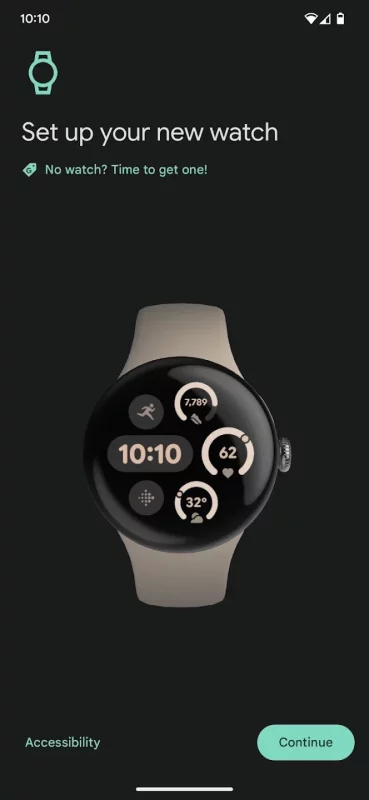
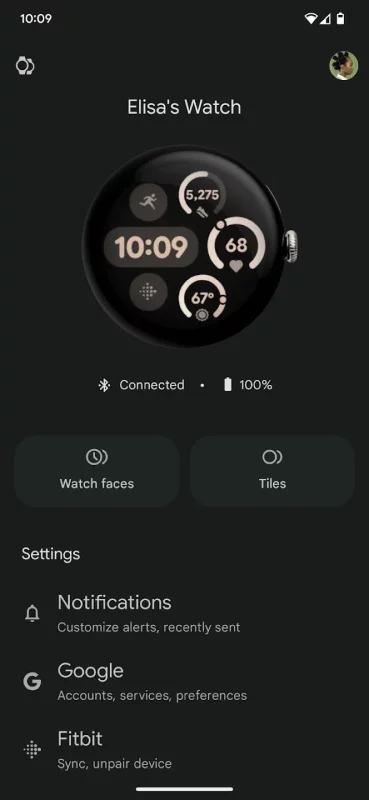
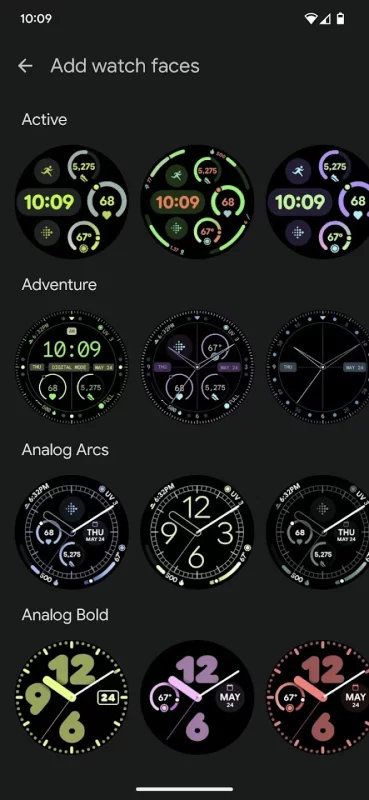
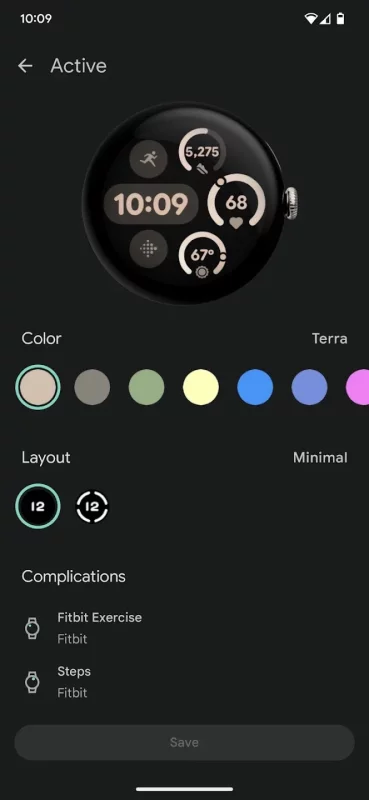
Set up and manage your Google Pixel Watch right from your Android 8.0+ device with the Google Pixel Watch app. You can easily customize your watch faces, set up Google Assistant and Google Wallet, manage notifications and more.
Here are some of the things you can do with the Google Pixel Watch app:
• Customize watchfaces
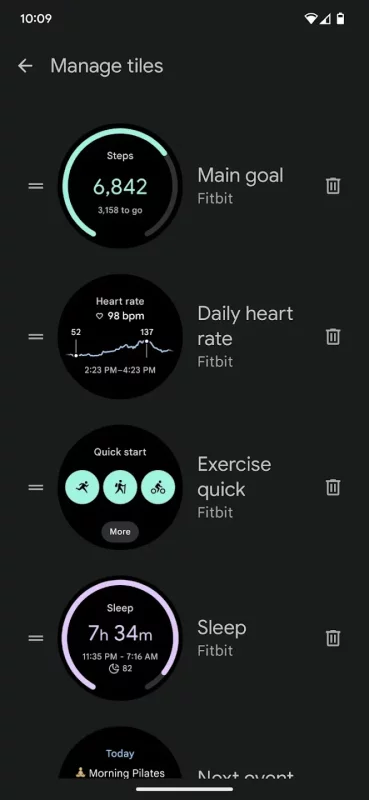
• Manage tiles
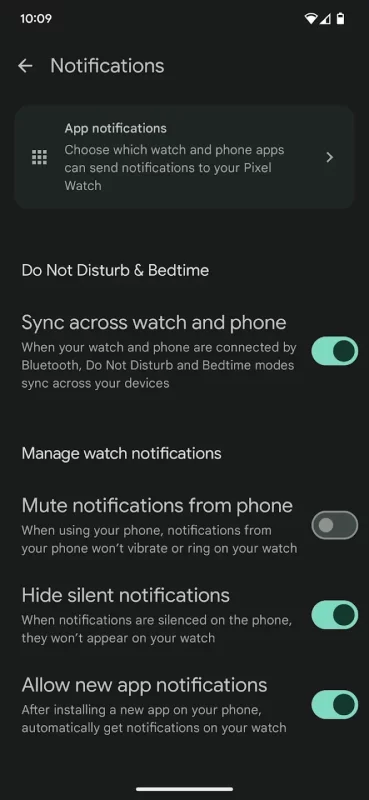
• Customize alerts and notifications
• Manage Google apps and accounts
• Install and manage apps
• Set up mobile carrier (available for selected countries and carriers only). Info at g.co/pixelwatch/networkinfo
• Manage privacy settings
For questions or support, please visit the Google Pixel Watch Community: https://goo.gle/3DT6wCg
Google Pixel Watch is only available in the following countries and regions: United States, Australia, Austria, Belgium, Canada, Czechia, Denmark, Estonia, Finland, France, Germany, Hungary, India, Ireland, Italy, Japan, Latvia, Lithuania, Malaysia, Netherlands, Norway, Poland, Portugal, Romania, Singapore, Slovakia, Slovenia, Spain, Sweden, Switzerland, Taiwan, United Kingdom.
Download Google Pixel Watch for Android for free
- Download the APK file to your Android device.
- Find the file in the Downloads folder and open it.
- Allow installation from this source if Android blocks it.
- Tap Install. To update the app, install the newer APK without uninstalling the current version.