CaptionCall

CaptionCall

0 votes
  • Update
    07.10.2026
  • Latest Version
    41.0.2609
  • Android OS
    9+
  • License
    Free
  • Languages
    English
  • Content Rating
    Everyone
  • Developer
  • Package Name
    com.machinegenius.olelo

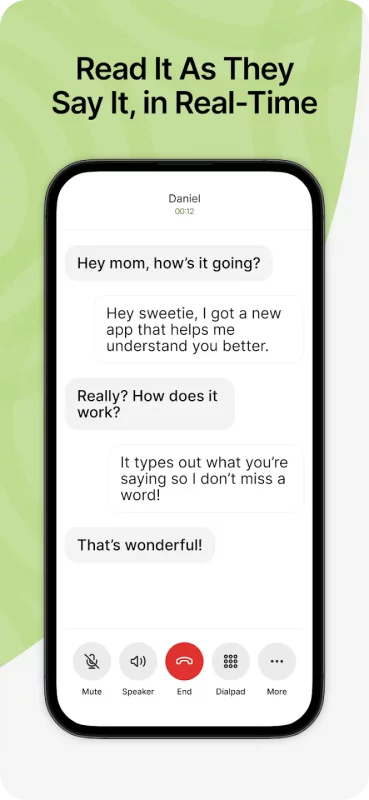
CaptionCall Mobile empowers deaf and hard-of-hearing individuals to make and receive phone calls with instant live captions. CaptionCall Mobile offers captioned phone calls in real-time at no cost to qualified deaf and hard-of-hearing users in an easy-to-use mobile app that integrates seamlessly into daily life and work.

Why CaptionCall?

No more landlines. CaptionCall Mobile goes where you go, allowing you to make and receive captioned calls from your mobile device anywhere with WiFi or mobile data service.

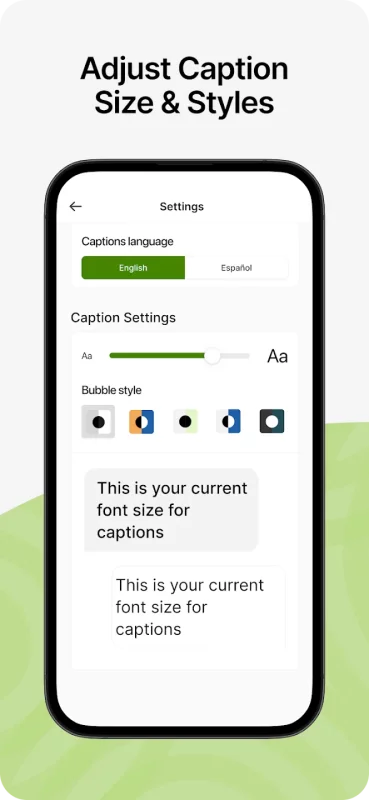
Fast, accurate, and easy, CaptionCall automatically transcribes both sides of your conversation in a customizable easy-to-read format, using advanced voice to text for deaf and hard-of-hearing that is 100% private and secure.

Accurate call captions appear in real-time for free-flowing, natural conversation.

No cost, ever. As an FCC-approved captioned call service, CaptionCall provides 100% no-cost call captioning to those with qualified hearing loss, thanks to a federally-administered fund.

GETTING STARTED WITH CAPTIONCALL MOBILE IS EASY:

1. Install the CaptionCall Mobile app

2. Create an account. You must provide accurate account information to meet federal requirements and enable your service.

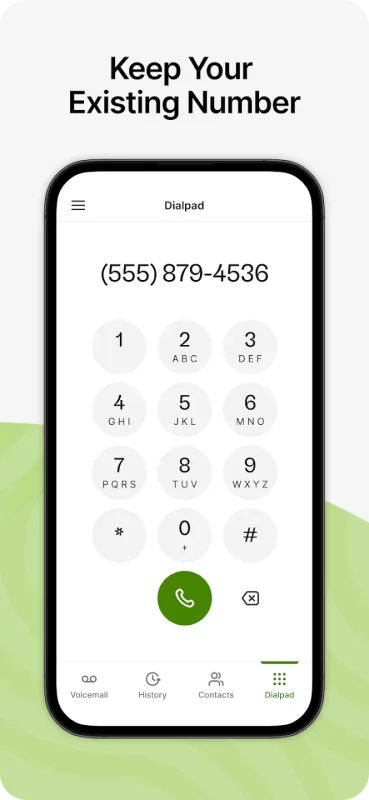
3. Receive your new CaptionCall Mobile phone number for making and receiving captioned calls. Or you can continue using your existing phone number and automatically forward them to CaptionCall Mobile on your mobile device or tablet for captioning.

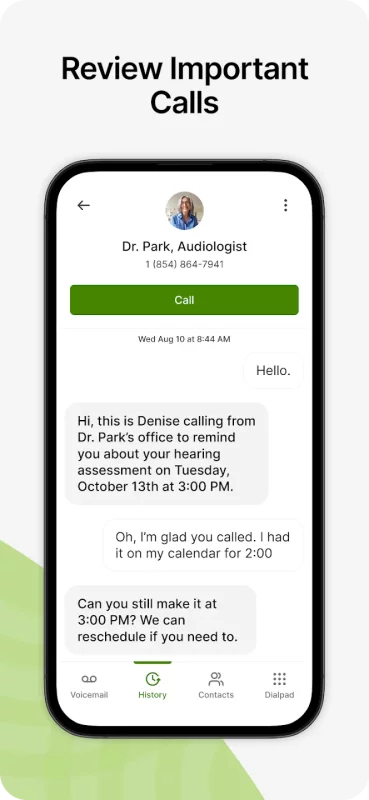
4. Tap “Allow” when asked to grant permissions to CaptionCall Mobile. You'll have quick access to your saved contacts, captioned voicemail and voicemail alerts, and can dial and receive calls from any phone number, just like your regular phone.

5. Use CaptionCall Mobile to start making calls with instant live captions.

CaptionCall Mobile is exclusively for people with hearing loss who need captions to use the phone effectively in the United States only.

CaptionCall and CaptionCall Mobile are available in the United States only. FEDERAL LAW PROHIBITS ANYONE BUT REGISTERED USERS WITH HEARING LOSS FROM USING INTERNET PROTOCOL (IP) CAPTIONED TELEPHONES WITH THE CAPTIONS TURNED ON. IP captioned telephone service may use a live operator. The operator generates captions of what the other party to the call says. These captions are then sent to your phone. There is a cost for each minute of captions generated, paid from a federally administered fund. No costs are passed along to individuals who qualify for the service. The CaptionCall phone and app remain the property of Sorenson in order to provide ongoing support, service, and upgrades. Patent information: www.Sorenson.com/Legal.

Please report any bugs and feedback to

Happy calling!

Thanks,
The CaptionCall Mobile Team

Download CaptionCall for Android for free

Download CaptionCall 41.0.2609 xapk Android 9+ ARMV8
103.02 Mb
No viruses found
Permissions (38)
Detections: 0
Check date: 07 October 2026, 04:00
The file was scanned for viruses using VirusTotal.
ACCESS_COARSE_LOCATION - allows an app to access approximate location.
ACCESS_FINE_LOCATION - allows an app to access precise location.
ACCESS_NETWORK_STATE - allows applications to access information about networks.
ACCESS_NOTIFICATION_POLICY - marker permission for applications that wish to access notification policy.
ACCESS_WIFI_STATE - allows applications to access information about wi-fi networks.
BLUETOOTH - allows applications to connect to paired bluetooth devices.
BLUETOOTH_CONNECT - required to be able to connect to paired bluetooth devices.
CALL_PHONE - allows an application to initiate a phone call without going through the dialer user interface for the user to confirm the call.
CHANGE_NETWORK_STATE - allows applications to change network connectivity state.
CHANGE_WIFI_MULTICAST_STATE - allows applications to enter wi-fi multicast mode.
FOREGROUND_SERVICE - allows a regular application to use service.startforeground.
FOREGROUND_SERVICE_DATA_SYNC - allows a regular application to use service.startforeground with the type "datasync".
FOREGROUND_SERVICE_LOCATION - allows a regular application to use service.startforeground with the type "location".
FOREGROUND_SERVICE_MICROPHONE - allows a regular application to use service.startforeground with the type "microphone".
FOREGROUND_SERVICE_PHONE_CALL - allows a regular application to use service.startforeground with the type "phonecall".
FOREGROUND_SERVICE_SPECIAL_USE - allows a regular application to use service.startforeground with the type "specialuse".
INTERNET - allows applications to open network sockets.
KILL_BACKGROUND_PROCESSES - allows an application to call activitymanager.killbackgroundprocesses(string).
MANAGE_OWN_CALLS - allows a calling application which manages its own calls through the self-managed connectionservice apis.
MODIFY_AUDIO_SETTINGS - allows an application to modify global audio settings.
POST_NOTIFICATIONS - allows an app to post notifications
READ_CALENDAR - allows an application to read the user's calendar data.
READ_CONTACTS - allows an application to read the user's contacts data.
READ_EXTERNAL_STORAGE - allows an application to read from external storage.
READ_PHONE_NUMBERS - allows read access to the device's phone number(s), which is exposed to instant applications.
READ_PHONE_STATE - allows read only access to phone state, including the current cellular network information, the status of any ongoing calls, and a list of any phoneaccounts registered on the device.
RECEIVE_BOOT_COMPLETED - allows an application to receive the intent.action_boot_completed that is broadcast after the system finishes booting.
RECORD_AUDIO - allows an application to record audio.
REQUEST_IGNORE_BATTERY_OPTIMIZATIONS - permission an application must hold in order to use settings.action_request_ignore_battery_optimizations.
SYSTEM_ALERT_WINDOW - allows an app to create windows using the type windowmanager.layoutparams.type_application_overlay, shown on top of all other apps.
USE_FULL_SCREEN_INTENT - required for apps targeting build.version_codes.q that want to use notification full screen intents.
VIBRATE - allows access to the vibrator.
WAKE_LOCK - allows using powermanager wakelocks to keep processor from sleeping or screen from dimming.
WRITE_CONTACTS - allows an application to write the user's contacts data.
WRITE_EXTERNAL_STORAGE - allows an application to write to external storage.
WRITE_SETTINGS - allows an application to read or write the system settings.
SHA1 signature: 01aa65d7a9a8e010c2697683023c6ec7faa2aed4
SHA256 signature: beac936452b470c42a87c77f7a6b48eddddac951e15ce7dd9482c284304c74a0
How to install XAPK
  1. Download the XAPK file to your Android device.
  2. Install one of these installers from our website:
  3. Open the installer and select the downloaded file from the Downloads folder.
  4. Allow installation from this source if Android asks for permission.
  5. Start installation. To update the app, install the newer file without uninstalling the current version.

⚠If the download fails or gets stuck, try enabling a VPN, disabling your ad blocker, or switching to a different network.
See also
Find My Phone: Find Lost Phone
Find My Phone has over 15 Million downloads. Find Lost Phone is one of best lost phone finder
Sideline: 2nd Phone Line App
Sideline gives you a second phone number for calling and texting—so you can stay connected without
TikTok - Videos, Shop & LIVE
TikTok is the global discovery platform for videos, streaming on LIVE, shopping, and more. Our
Mercari: Buy and Sell App
MEET MERCARI: a marketplace built for you. Sell quick and save big all in one, top-rated
Instacart: Get Food Delivery
Get food delivery and grocery orders delivered directly to your door in as fast as 30 minutes with
Step Counter - Pedometer
Wonder how many steps you take throughout the day? Want an easy pedometer and walking app to track
Street View Map and Navigation
Street View Map and Navigation The street view map and navigation app is a complete GPS navigation
textPlus: Text Message + Call
Join over 150 million people who use textPlus to text free, call, and stay connected with a real
Comments (0)
Loading comments...