Android Auto

Android Auto

0 votes
  • Update
    29.09.2026
  • Latest Version
    17.8.663814-release
  • Android OS
    12.1+
  • License
    Free
  • Languages
    English
  • Content Rating
    Everyone
  • Developer
  • Downloads
    1
  • Package Name
    com.google.android.projection.gearhead

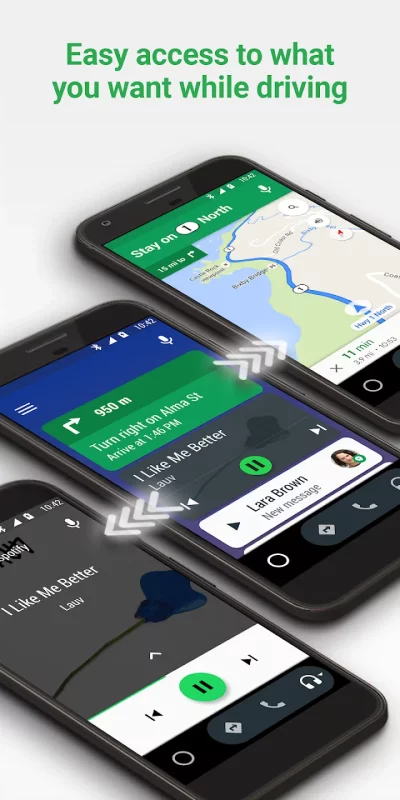
Android Auto is your smart driving companion that helps you stay focused, connected, and entertained with the Google Assistant. With a simplified interface, large buttons, and powerful voice actions, Android Auto is designed to make it easier to use apps that you love from your phone while you’re on the road.

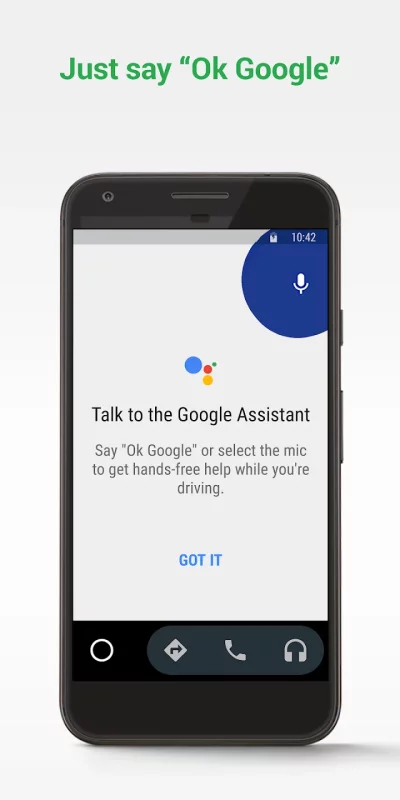
Just say “Ok Google” to...
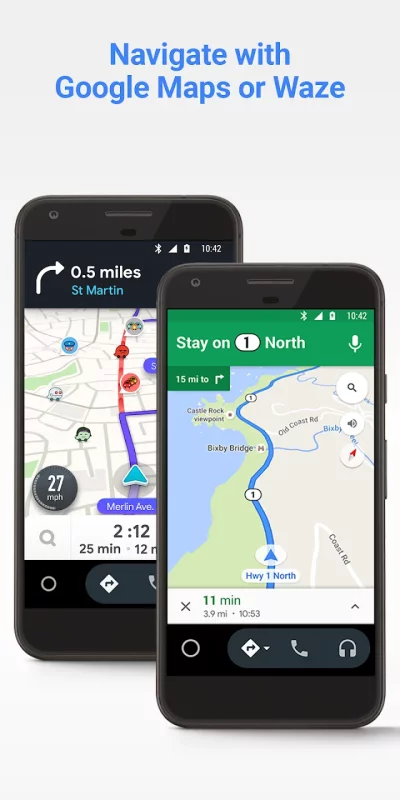
• Route to your next destination using Google Maps or Waze with real-time GPS navigation and traffic alerts.
• Get updates on your route, ETA, and hazards in real-time.
• Have the Google Assistant check your calendar for you so you know where you need to be.
• Set reminders, get updates on the news, and check last night’s score.
• Avoid distractions while driving by setting a custom do not disturb message while driving.
• Make calls using Google Assistant and answer incoming calls with just a tap.
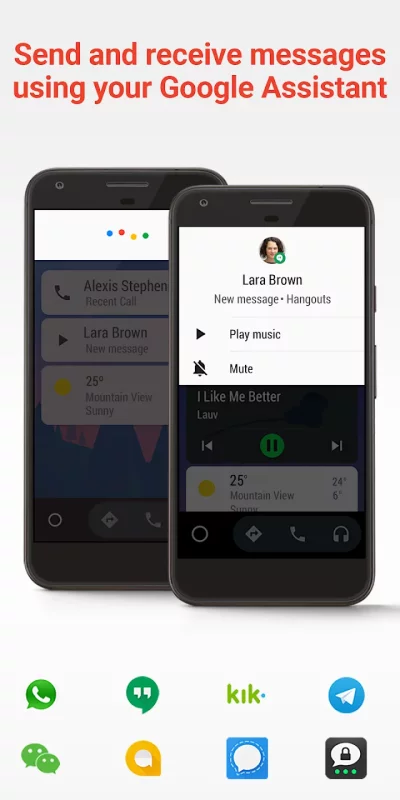
• Access your contacts folder and send and receive messages with the Google Assistant using SMS, Hangouts, WhatsApp, Skype, Telegram, WeChat, Kik, Google Allo, and many more messaging apps.
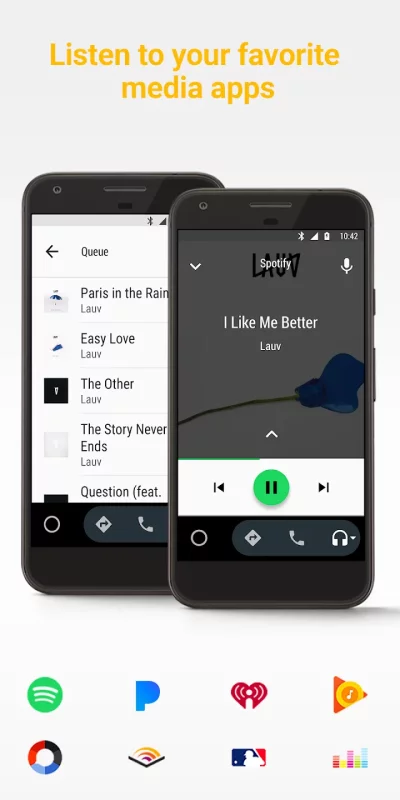
• Manage your infotainment system like never before. Listen to your favorite media apps including Spotify, Pandora, iHeartRadio, Google Play Music, Amazon Music, SiriusXM, TIDAL - High Fidelity Music Streaming, Napster Music, and Deezer. Many more music, radio, news, sports news, audiobook, and podcast apps are also supported.

The number of compatible apps is always growing! For a full list of compatible apps, go to http://g.co/androidauto

To use Android Auto, you’ll need a phone running Android 6.0 or higher and an active data connection.
Over 400 car models now support Android Auto! To find out if your car display is compatible and how to enable it, check your owner’s manual or contact your car’s manufacturer. Once enabled, use a high quality USB cable to connect your phone to your car, then launch Android Auto to get going!
Learn more about Android Auto and compatible cars at http://android.com/auto
For support: http://support.google.com/androidauto
Get help from our community: https://productforums.google.com/forum/#!forum/android-auto
Download Android Auto for Android for free

Download Android Auto 17.8.663814-release xapk Android 12.1+ ARMV8
64.02 Mb
No viruses found
Permissions (46)
Detections: 0
Check date: 29 September 2026, 12:30
The file was scanned for viruses using VirusTotal.
ACCESS_COARSE_LOCATION - allows an app to access approximate location.
ACCESS_FINE_LOCATION - allows an app to access precise location.
ACCESS_NETWORK_STATE - allows applications to access information about networks.
ACCESS_NOTIFICATION_POLICY - marker permission for applications that wish to access notification policy.
ACCESS_WIFI_STATE - allows applications to access information about wi-fi networks.
BIND_APPWIDGET - allows an application to tell the appwidget service which application can access appwidget's data.
BLUETOOTH - allows applications to connect to paired bluetooth devices.
BLUETOOTH_ADMIN - allows applications to discover and pair bluetooth devices.
BLUETOOTH_CONNECT - required to be able to connect to paired bluetooth devices.
BLUETOOTH_PRIVILEGED - allows applications to pair bluetooth devices without user interaction, and to allow or disallow phonebook access or message access.
BLUETOOTH_SCAN - required to be able to discover and pair nearby bluetooth devices.
CALL_PHONE - allows an application to initiate a phone call without going through the dialer user interface for the user to confirm the call.
CALL_PRIVILEGED - allows an application to call any phone number, including emergency numbers, without going through the dialer user interface for the user to confirm the call being placed.
CHANGE_COMPONENT_ENABLED_STATE - allows an application to change whether an application component (other than its own) is enabled or not.
CHANGE_NETWORK_STATE - allows applications to change network connectivity state.
CHANGE_WIFI_STATE - allows applications to change wi-fi connectivity state.
DUMP - allows an application to retrieve state dump information from system services.
FOREGROUND_SERVICE - allows a regular application to use service.startforeground.
FOREGROUND_SERVICE_CONNECTED_DEVICE - allows a regular application to use service.startforeground with the type "connecteddevice".
FOREGROUND_SERVICE_LOCATION - allows a regular application to use service.startforeground with the type "location".
FOREGROUND_SERVICE_MICROPHONE - allows a regular application to use service.startforeground with the type "microphone".
INTERACT_ACROSS_PROFILES - allows interaction across profiles in the same profile group.
INTERNET - allows applications to open network sockets.
LOCATION_HARDWARE - allows an application to use location features in hardware, such as the geofencing api.
MANAGE_EXTERNAL_STORAGE - allows an application a broad access to external storage in scoped storage.
MODIFY_PHONE_STATE - allows modification of the telephony state - power on, mmi, etc.
NEARBY_WIFI_DEVICES - required to be able to advertise and connect to nearby devices via wi-fi.
POST_NOTIFICATIONS - allows an app to post notifications
QUERY_ALL_PACKAGES - allows query of any normal app on the device, regardless of manifest declarations.
READ_BASIC_PHONE_STATE - allows read only access to phone state with a non dangerous permission, including the information like cellular network type, software version.
READ_CALENDAR - allows an application to read the user's calendar data.
READ_CALL_LOG - allows an application to read the user's call log.
READ_CONTACTS - allows an application to read the user's contacts data.
READ_PHONE_STATE - allows read only access to phone state, including the current cellular network information, the status of any ongoing calls, and a list of any phoneaccounts registered on the device.
RECEIVE_BOOT_COMPLETED - allows an application to receive the intent.action_boot_completed that is broadcast after the system finishes booting.
RECEIVE_SMS - allows an application to receive sms messages.
RECORD_AUDIO - allows an application to record audio.
REQUEST_COMPANION_PROFILE_AUTOMOTIVE_PROJECTION - allows application to request to be associated with a vehicle head unit capable of automotive projection (associationrequest.device_profile_automotive_projection) by companiondevicemanager.
REQUEST_COMPANION_SELF_MANAGED - allows an application to create a "self-managed" association.
REQUEST_OBSERVE_COMPANION_DEVICE_PRESENCE - allows an application to subscribe to notifications about the presence status change of their associated companion device
SEND_SMS - allows an application to send sms messages.
SYSTEM_ALERT_WINDOW - allows an app to create windows using the type windowmanager.layoutparams.type_application_overlay, shown on top of all other apps.
USE_BIOMETRIC - allows an app to use device supported biometric modalities.
VIBRATE - allows access to the vibrator.
WAKE_LOCK - allows using powermanager wakelocks to keep processor from sleeping or screen from dimming.
WRITE_SETTINGS - allows an application to read or write the system settings.
SHA1 signature: a60bd681f4cee6031cb6235b3e145bb1936c4e76
SHA256 signature: 1ca8dcc0bed3cbd872d2cb791200c0292ca9975768a82d676b8b424fb65b5295
How to install XAPK
  1. Download the XAPK file to your Android device.
  2. Install one of these installers from our website:
  3. Open the installer and select the downloaded file from the Downloads folder.
  4. Allow installation from this source if Android asks for permission.
  5. Start installation. To update the app, install the newer file without uninstalling the current version.

⚠If the download fails or gets stuck, try enabling a VPN, disabling your ad blocker, or switching to a different network.
More by Google LLC
YouTube
YouTube
Get the official YouTube app on Android phones and tablets. See what the world is watching -- from
Google Docs
Google Docs
Create, edit, and collaborate with others on documents from your Android phone or tablet with the
YouTube Music
YouTube Music
Connecting you to the world of music: ● Music content including live performances, covers, remixes
Google Messages
Google Messages
Google Messages is the official Google app for messaging. Google Messages is revolutionizing how a
See also
Pandora - Music & Podcasts
Pandora gives you a personalized listening experience that continually evolves with your tastes.
SiriusXM: Music, Sports & News
Expand your listening universe with SiriusXM. Explore live radio, ad-free music, podcasts, news,
Telegram
Telegram
Pure instant messaging — simple, fast, secure, and synced across all your devices. One of the top 5
Waze Navigation & Live Traffic
Know what's ahead on the road with the help from other drivers. Waze is a live map that
Skype for Business for Android
Skype for Business, formerly Lync 2013, for Android extends the power of Lync and Skype to your
GPS, Maps, Driving Directions
Discover the ultimate Live Maps, GPS Navigation, and Driving Directions app designed to simplify
Messenger for Messages Lite
The free Messenger chat app will help you open popular messenger & social Media applications
Spotify: Music and Podcasts
With the Spotify music and podcast app, you can play millions of songs, albums and original
Comments (0)
Loading comments...