Philips Hue

Philips Hue

0 votes
  • Update
    28.09.2026
  • Latest Version
    6.1.0
  • Android OS
    12+
  • License
    Free
  • Languages
  • Content Rating
    Everyone
  • Developer
  • Package Name
    com.philips.lighting.hue2

The official Philips Hue app is the most comprehensive way to organize, control, and customize your Philips Hue smart lights and accessories.

Organize your smart lights
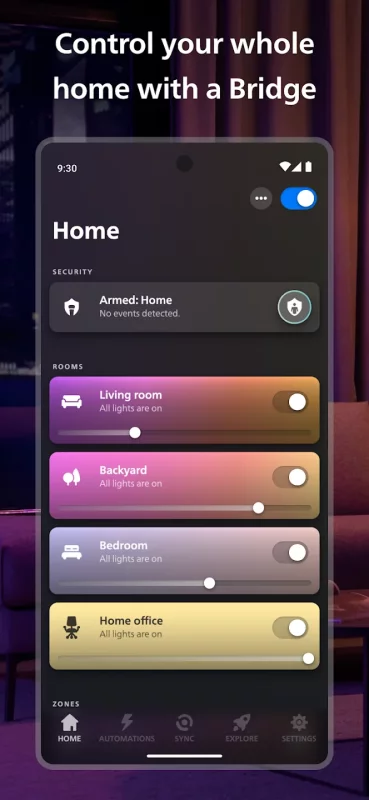
Group your lights into Rooms or Zones — your entire downstairs floor or all the lights in the living room, for example — that mirror the physical rooms in your home.

Easily control your lights — from anywhere
Use the app to control your lights anywhere you have an internet connection.

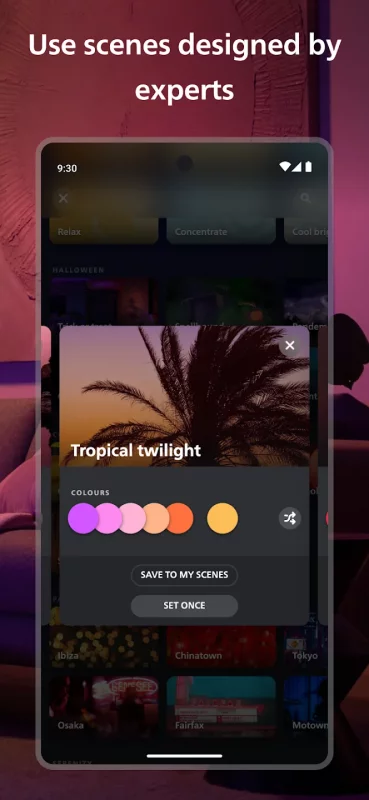
Explore the Hue scene gallery
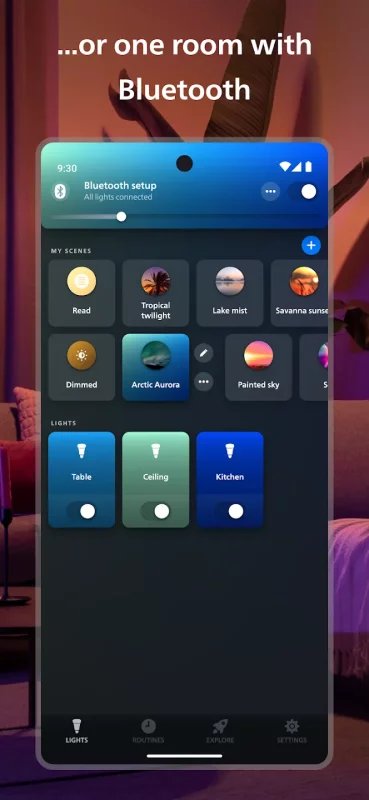
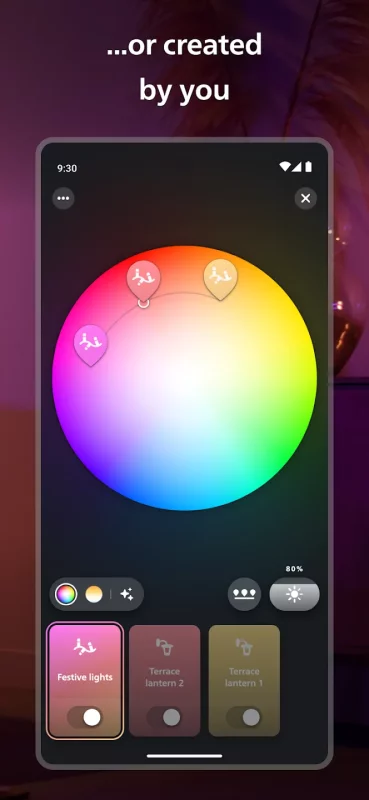
Created by professional lighting designers, the scenes in the scene gallery can help you set the mood for any occasion. You can even create your own scenes based on a photo or your favorite colors.

Set up bright home security
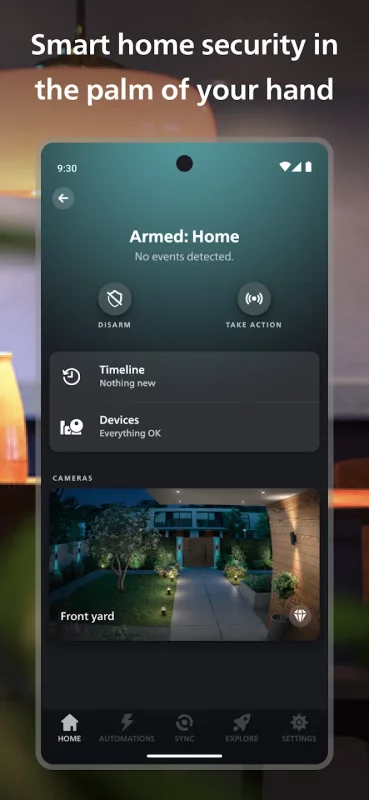
Make your home feel safer, no matter where you are. The Security Center lets you program your Secure cameras, Secure contact sensors, and indoor motion sensors to send you alerts when they detect activity. Trigger light and sound alarms, call the authorities or a trusted contact, and monitor your home in real-time.

Get the best light for any moment of the day
Let your lights change automatically throughout the day with the Natural light scene — so you feel more energized, focused, relaxed, or rested at the right times. Just set the scene to watch your lights change with the sun’s movement, transitioning from cool blue tones in the morning to warmer, relaxing hues for sunset.

Automate your lights
Make your smart lights work around your daily routine. Whether you want your lights to gently wake you up in the morning or greet you when you get home, setting up customizable automations in the Philips Hue app is effortless.

Sync your lights to TV, music, and games
Make your lights flash, dance, dim, brighten, and change color in sync with your screen or sound! With the Philips Hue Play HDMI sync box, the Philips Hue Sync for TV or desktop apps, or Spotify, you can create totally immersive experiences.

Set up voice control
Use Apple Home, Amazon Alexa, or Google Assistant to control your smart lights with voice commands. Turn lights on and off, dim and brighten, or even change colors — completely hands-free.

Create widgets for quick control
Control your smart lights even faster by creating widgets on your home screen. Turn lights on or off, adjust brightness and temperature, or set scenes – all without even opening the app.

Learn more about the official Philips Hue app: www.philips-hue.com/app.

Note: Some features in this app require a Philips Hue Bridge.

Download Philips Hue for Android for free

Download Philips Hue 6.1.0 xapk Android 12+ ARMV8, X86_64
290.58 Mb
No viruses found
Permissions (30)
Detections: 0
Check date: 28 September 2026, 16:50
The file was scanned for viruses using VirusTotal.
ACCESS_BACKGROUND_LOCATION - allows an app to access location in the background.
ACCESS_COARSE_LOCATION - allows an app to access approximate location.
ACCESS_FINE_LOCATION - allows an app to access precise location.
ACCESS_NETWORK_STATE - allows applications to access information about networks.
ACCESS_NOTIFICATION_POLICY - marker permission for applications that wish to access notification policy.
BLUETOOTH - allows applications to connect to paired bluetooth devices.
BLUETOOTH_ADMIN - allows applications to discover and pair bluetooth devices.
BLUETOOTH_CONNECT - required to be able to connect to paired bluetooth devices.
BLUETOOTH_SCAN - required to be able to discover and pair nearby bluetooth devices.
CAMERA - required to be able to access the camera device.
CHANGE_WIFI_MULTICAST_STATE - allows applications to enter wi-fi multicast mode.
DISABLE_KEYGUARD - allows applications to disable the keyguard if it is not secure.
FOREGROUND_SERVICE - allows a regular application to use service.startforeground.
FOREGROUND_SERVICE_LOCATION - allows a regular application to use service.startforeground with the type "location".
FOREGROUND_SERVICE_PHONE_CALL - allows a regular application to use service.startforeground with the type "phonecall".
HIGH_SAMPLING_RATE_SENSORS - allows an app to access sensor data with a sampling rate greater than 200 hz.
INTERNET - allows applications to open network sockets.
MANAGE_OWN_CALLS - allows a calling application which manages its own calls through the self-managed connectionservice apis.
MODIFY_AUDIO_SETTINGS - allows an application to modify global audio settings.
POST_NOTIFICATIONS - allows an app to post notifications
READ_CONTACTS - allows an application to read the user's contacts data.
READ_EXTERNAL_STORAGE - allows an application to read from external storage.
READ_PHONE_STATE - allows read only access to phone state, including the current cellular network information, the status of any ongoing calls, and a list of any phoneaccounts registered on the device.
RECEIVE_BOOT_COMPLETED - allows an application to receive the intent.action_boot_completed that is broadcast after the system finishes booting.
RECORD_AUDIO - allows an application to record audio.
REQUEST_IGNORE_BATTERY_OPTIMIZATIONS - permission an application must hold in order to use settings.action_request_ignore_battery_optimizations.
USE_FULL_SCREEN_INTENT - required for apps targeting build.version_codes.q that want to use notification full screen intents.
VIBRATE - allows access to the vibrator.
WAKE_LOCK - allows using powermanager wakelocks to keep processor from sleeping or screen from dimming.
WRITE_EXTERNAL_STORAGE - allows an application to write to external storage.
SHA1 signature: 5e53cabdba11194fedf14c6281635566c1b44eba
SHA256 signature: 1b4b5167e16fd029474bc2b2947902acf9ee1e20e47cf85ab438b62cdea8164a
How to install XAPK
  1. Download the XAPK file to your Android device.
  2. Install one of these installers from our website:
  3. Open the installer and select the downloaded file from the Downloads folder.
  4. Allow installation from this source if Android asks for permission.
  5. Start installation. To update the app, install the newer file without uninstalling the current version.

⚠If the download fails or gets stuck, try enabling a VPN, disabling your ad blocker, or switching to a different network.
See also
Blink Home Monitor
Blink Home Monitor
Get more value, simplicity, and convenience with Blink smart home security. See and speak to people
Google Fit: Activity Tracking
Get to a healthier and more active life with the new Google Fit! It's hard to know how much or
Home Planner AI: Room Interior
Home Planner AI - dream it, plan it, live in it. This room planner is trusted by 20 million+ users
Planner 5D: AI Home Design
#1 AI home design and room planner app for your next home project. From floor planning to interior
Room Temperature Thermometer
Room Temperature Thermometer and Meter Measure temperature unit type Celsius °C, Fahrenheit °F, and
Find My Phone: Find Lost Phone
Find My Phone has over 15 Million downloads. Find Lost Phone is one of best lost phone finder
Ring - Always Home
Ring - Always Home
Know what’s happening at home from wherever you are with Ring Video Doorbells, Security Cameras and
AlfredCamera Home Security app
We are the world’s most popular and top-rated security camera app for Android phones, with over 90
Comments (0)
Loading comments...