NETGEAR Nighthawk WiFi Router

NETGEAR Nighthawk WiFi Router

0 votes
  • Update
    28.09.2026
  • Latest Version
    2.54.2.5699
  • Android OS
    12.1+
  • License
    Free
  • Languages
    English
  • Content Rating
    Everyone
  • Developer
  • Package Name
    com.netgear.netgearup

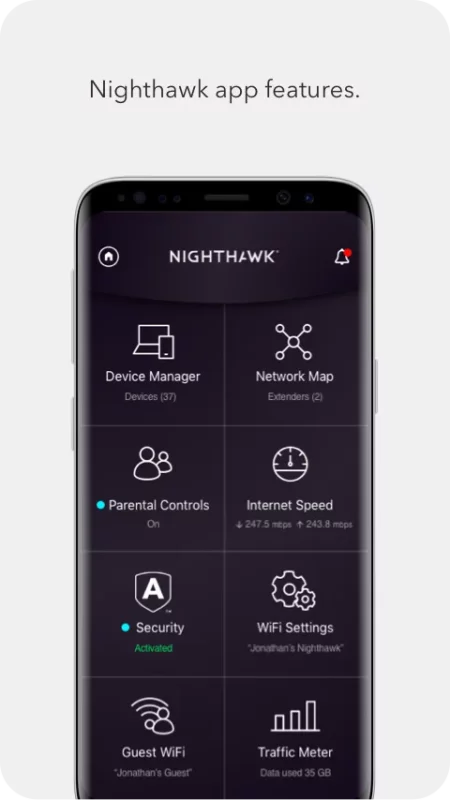
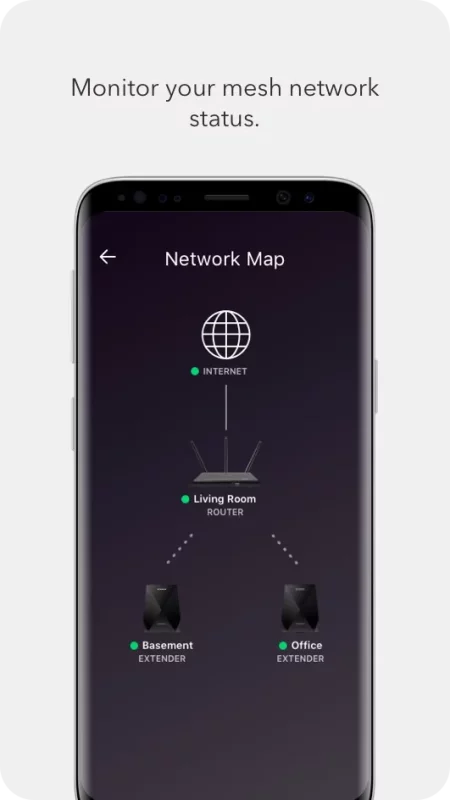
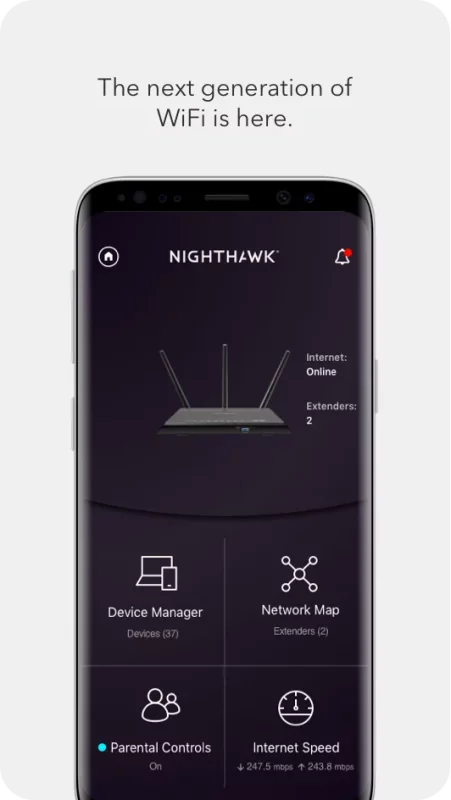
The Nighthawk app gives you convenient access to your router’s features:
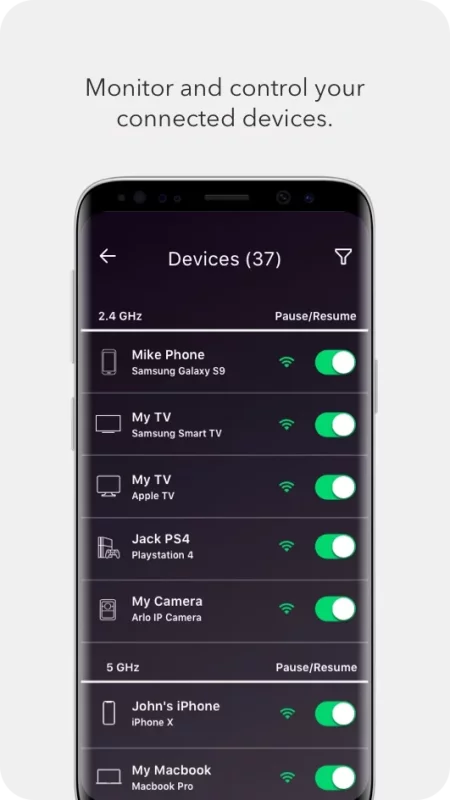
- Anywhere Access – Monitor and control your home WiFi from anywhere.
- Smart Parental Controls – Filter content and limit time online automatically with Circle® on NETGEAR.
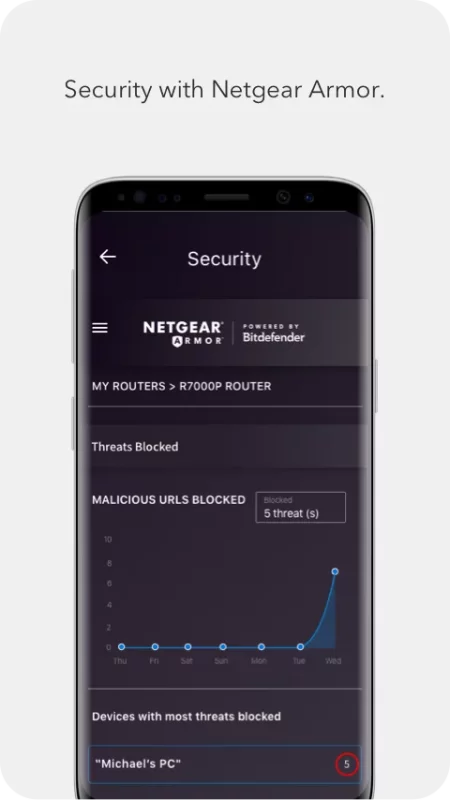
- Armor Security – Advanced cybersecurity on your network to protect all devices from online threats.
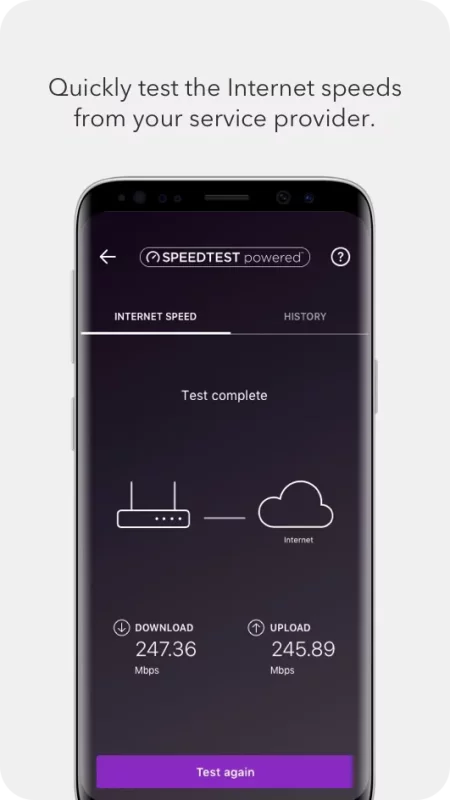
- Speed Test – See if you’re getting the internet broadband speeds you’re paying for.
- Guest WiFi – Set up a secure and separate WiFi network for guests.
- Traffic Meter – Monitor internet usage over time.
- Easily pause WiFi, update firmware, and more!

The NETGEAR Nighthawk app (formerly Up App) is a complete upgrade from the legacy NETGEAR genie app. New features are consistently being added. Install it today!

For more information about your router, visit http://www.support.netgear.com
Download NETGEAR Nighthawk WiFi Router for Android for free

Download NETGEAR Nighthawk WiFi Router 2.54.2.5699 xapk Android 12.1+ ARMV8
162.19 Mb
No viruses found
Permissions (30)
Detections: 0
Check date: 28 September 2026, 15:20
The file was scanned for viruses using VirusTotal.
ACCESS_COARSE_LOCATION - allows an app to access approximate location.
ACCESS_FINE_LOCATION - allows an app to access precise location.
ACCESS_NETWORK_STATE - allows applications to access information about networks.
ACCESS_WIFI_STATE - allows applications to access information about wi-fi networks.
BLUETOOTH - allows applications to connect to paired bluetooth devices.
BLUETOOTH_CONNECT - required to be able to connect to paired bluetooth devices.
CAMERA - required to be able to access the camera device.
CHANGE_NETWORK_STATE - allows applications to change network connectivity state.
CHANGE_WIFI_MULTICAST_STATE - allows applications to enter wi-fi multicast mode.
CHANGE_WIFI_STATE - allows applications to change wi-fi connectivity state.
DETECT_SCREEN_CAPTURE - allows an application to get notified when a screen capture of its windows is attempted.
FOREGROUND_SERVICE - allows a regular application to use service.startforeground.
FOREGROUND_SERVICE_MEDIA_PROJECTION - allows a regular application to use service.startforeground with the type "mediaprojection".
GET_ACCOUNTS - allows access to the list of accounts in the accounts service.
INTERNET - allows applications to open network sockets.
MANAGE_OWN_CALLS - allows a calling application which manages its own calls through the self-managed connectionservice apis.
MODIFY_AUDIO_SETTINGS - allows an application to modify global audio settings.
POST_NOTIFICATIONS - allows an app to post notifications
READ_EXTERNAL_STORAGE - allows an application to read from external storage.
READ_PHONE_STATE - allows read only access to phone state, including the current cellular network information, the status of any ongoing calls, and a list of any phoneaccounts registered on the device.
RECEIVE_BOOT_COMPLETED - allows an application to receive the intent.action_boot_completed that is broadcast after the system finishes booting.
RECORD_AUDIO - allows an application to record audio.
REORDER_TASKS - allows an application to change the z-order of tasks.
SCHEDULE_EXACT_ALARM - allows applications to use exact alarm apis.
USE_BIOMETRIC - allows an app to use device supported biometric modalities.
USE_FINGERPRINT - this constant was deprecated in api level 28. applications should request use_biometric instead
VIBRATE - allows access to the vibrator.
WAKE_LOCK - allows using powermanager wakelocks to keep processor from sleeping or screen from dimming.
WRITE_EXTERNAL_STORAGE - allows an application to write to external storage.
SET_ALARM - allows an application to broadcast an intent to set an alarm for the user.
SHA1 signature: 1db5d32c15201357d2110b68f5ccc2ecd08fb122
SHA256 signature: caf7af5caa27d903ff8a368e9ce62f422bb24741edefeda220ad12e149ac9e77
How to install XAPK
  1. Download the XAPK file to your Android device.
  2. Install one of these installers from our website:
  3. Open the installer and select the downloaded file from the Downloads folder.
  4. Allow installation from this source if Android asks for permission.
  5. Start installation. To update the app, install the newer file without uninstalling the current version.

⚠If the download fails or gets stuck, try enabling a VPN, disabling your ad blocker, or switching to a different network.
See also
Norton360 Antivirus & Security
​​Norton 360 ensures robust mobile security with antivirus features, including AI-powered malware
Planet Fitness
Planet Fitness
Welcome to the Planet Fitness App The PF app is the ultimate companion for your fitness journey,
AlfredCamera Home Security app
We are the world’s most popular and top-rated security camera app for Android phones, with over 90
Find My Phone: Find Lost Phone
Find My Phone has over 15 Million downloads. Find Lost Phone is one of best lost phone finder
Instacart: Get Food Delivery
Get food delivery and grocery orders delivered directly to your door in as fast as 30 minutes with
Google Fit: Activity Tracking
Get to a healthier and more active life with the new Google Fit! It's hard to know how much or
Ultimate Guitar: Chords & Tabs
Ultimate Guitar is your portal to playing your favorite songs. Learn on any instrument, including
Malwarebytes - Mobile Security
Malwarebytes delivers all-in-one mobile security and powerful digital protection against malware,
Comments (0)
Loading comments...