- Update28.09.2026
- Latest Version1.0.9309.0102
- Android OS11+
- LicenseFree
-
LanguagesEnglish Afrikaans, العربية, Azərbaycan dili, Български, Bosanski, Català, Čeština, Cymraeg, Dansk, Deutsch, Ελληνικά, English, Español, Eesti, Euskara, فارسی, Suomi, Filipino, Français, Galego, ગુજરાતી, हिन्दी, Hrvatski, Magyar, Bahasa Indonesia, Íslenska, Italiano, עברית, 日本語, ქართული, Қазақ тілі, ខ្មែរ, ಕನ್ನಡ, 한국어, ລາວ, Lietuvių, Latviešu, Македонски, मराठी, Bahasa Melayu, Norsk bokmål, Nederlands, Norsk nynorsk, Polski, Português, Română, Русский, Slovenčina, Slovenščina, Shqip, Српски, Svenska, தமிழ், తెలుగు, ไทย, Türkçe, Українська, Oʻzbekcha, Tiếng Việt, 中文
- Content RatingEveryone
- DeveloperMicrosoft Corporation
- Package Namecom.microsoft.scmx
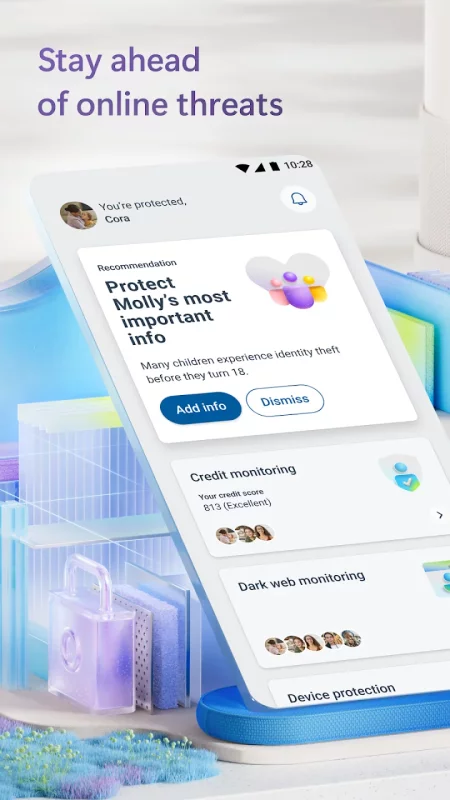
Microsoft Defender is an online security app for your digital life1 and work2.
Stay safer online with Microsoft Defender for individuals1. Defender is an easy-to-use app that helps keep you and your family one step ahead of threats. Microsoft Defender for individuals is available with a Microsoft 365 Personal or Family subscription.
All-in-one security app
Protect your personal identity, privacy, and devices against malicious threats with antivirus scanning3, threat monitoring4, multidevice alerts, and expert guidance.
Manage your security in one place
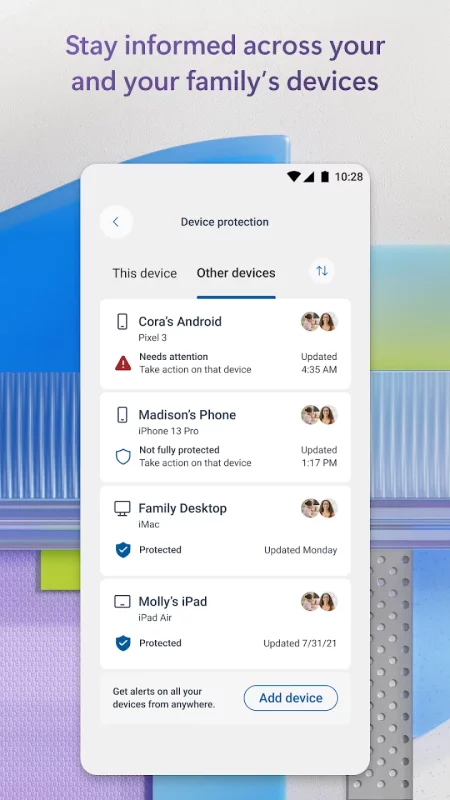
• Check the security status of your family’s devices and identity5.
• Get timely threat alerts and recommended actions across your devices.
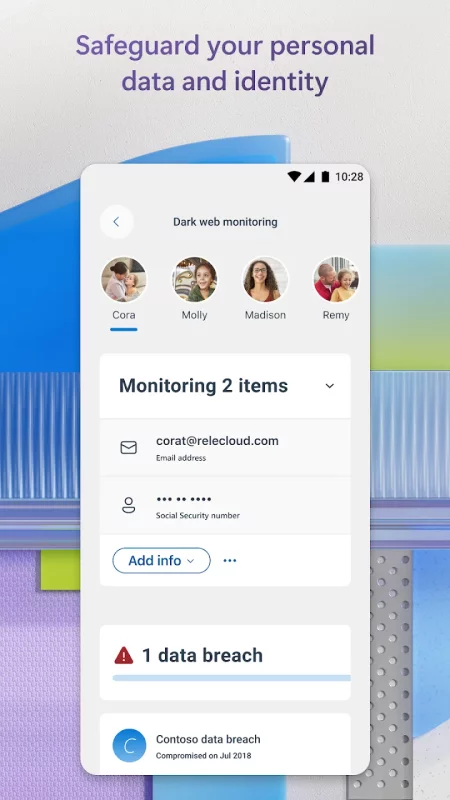
Safeguard your family’s personal information
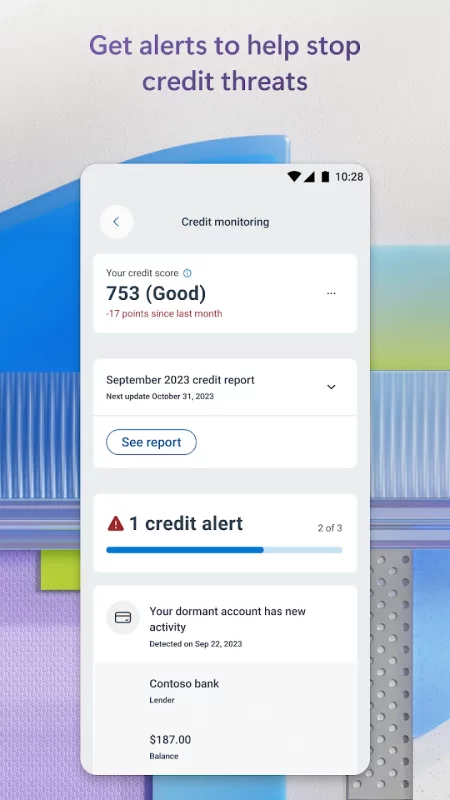
• Get continuous monitoring of your and your family's personal identity4 and credit6.
• Call an identity theft restoration expert for help, anytime day or night.
• Get identity insurance coverage, up to USD1 million, to help cover restoration fees. Insurance coverage includes up to USD100,000 to recover lost funds7.
Trusted device protection
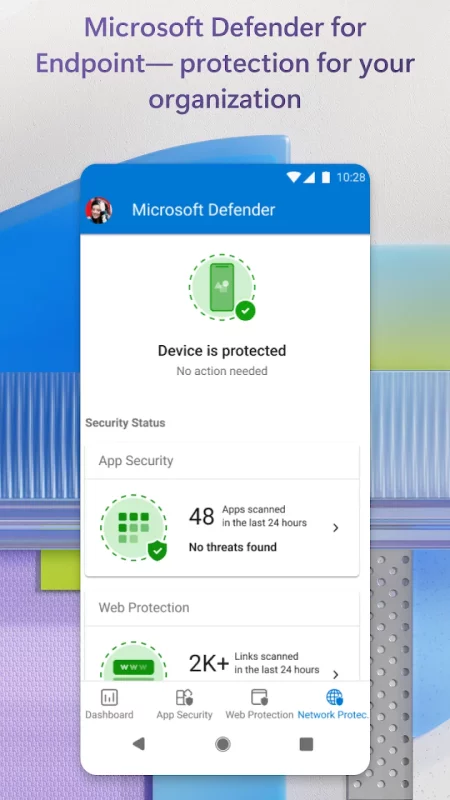
• Protect your devices against new and existing threats3.
• Get alerted if malicious apps are found and take steps to remove the threat.
• Continuously scans for harmful links before you click on them to help protect you from malicious threats.
Microsoft Defender for Endpoint
Microsoft Defender for Endpoint is an industry-leading, cloud-powered endpoint security solution that helps to secure against ransomware, file-less malware, and other sophisticated attacks across platforms.
Microsoft Defender uses accessibility services to automatically block malicious web pages that may be accessed via links from SMS, messaging apps, browsers, and email.
App and feature availability may vary by device, language, and region.
1. Microsoft 365 Family or Personal subscription required. Sign in with your Microsoft account. App is currently not available in certain Microsoft 365 Personal or Family regions.
2. If you are a member of a business or organization, login with your work or school email. Your school or business is required to have a valid license or subscription.
3. Does not replace existing malware protection on iOS and Windows devices.
4. Feature is available in the United States and US territories.
5. A one-time parent or legal guardian verification is required to receive dark web threat alert details for children. If the organizer’s family member is under 13, consent is not required to create and/or monitor a child’s identity. Consent is required to create and/or monitor identity of family members over 13 years of age.
6. Feature available in the United States and US territories. Credit score is a single bureau VantageScore 3.0 provided by Experian®. The monthly credit report is provided by Experian® using single bureau data. For users under the age of 18 or those without a credit history, credit score not included. Family organizers will not have the ability to onboard, view, and receive alerts related to family member credit monitoring. Your device's primary display language must be set to English.
7. The identity theft insurance is underwritten and administered by American Bankers Insurance Company of Florida, an Assurant company. Please refer to the actual policies for terms, conditions, and exclusions of coverage. Coverage may not be available in all jurisdictions. Review the Summary of Benefits: https://learn.microsoft.com/en-us/legal/microsoft-365/summary-of-benefits-for-itm.
Download Microsoft Defender: Antivirus for Android for free
- Download the APK file to your Android device.
- Find the file in the Downloads folder and open it.
- Allow installation from this source if Android blocks it.
- Tap Install. To update the app, install the newer APK without uninstalling the current version.