
- Update17.10.2026
- Latest Version5.63.0
- Android OS12.1+
- LicenseFree
-
LanguagesEnglish English
- Content RatingEveryone
- DeveloperHole19
- Package Namecom.hole19golf.hole19.beta
Trusted by over 4 million golfers worldwide, Hole19 delivers everything you need to play your best golf. Get pinpoint accurate GPS distances, advanced performance tracking, and personalized insights that actually lower your scores, all for FREE.
Hole19 for Wear OS delivers premium golf tracking right on your wrist. Our optimized smartwatch app features customizable complications for instant access to distances, scoring, and stats. Make smarter decisions with less effort—your trusted partner to elevate your game is now just a glance away.
Health and Fitness Tracking: Hole19 saves each round to Health Connect as a golf exercise session, together with your steps, walking distance and calories burned. Your golf will count towards your daily activity goals, and any other app you've connected to Health Connect can read it too.
Download Hole19 today and join millions of golfers who've taken their game to the next level.
FREE FEATURES:
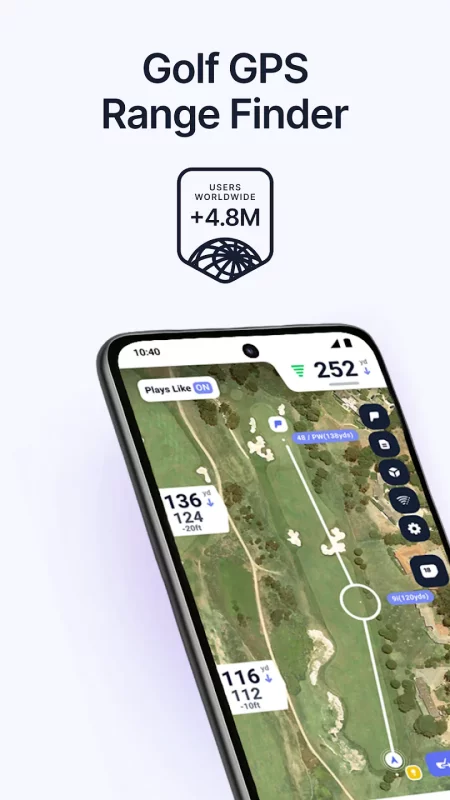
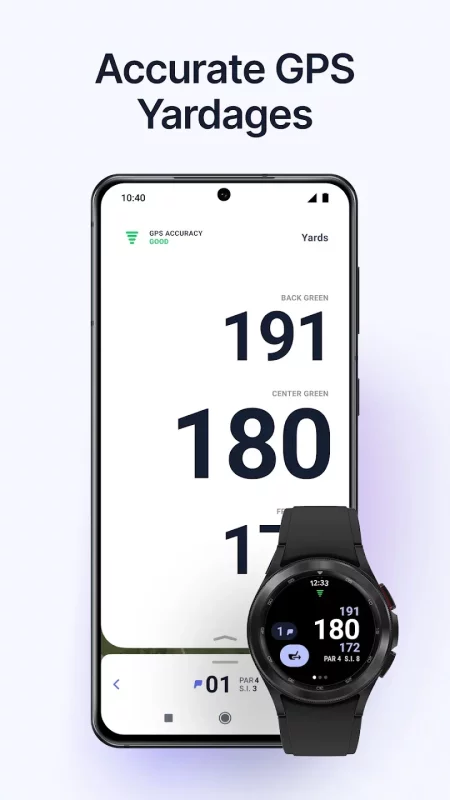
• Accurate GPS Rangefinder: Accurately measure shot distances to the front, back, and center of the green and all key hazards and targets on over 42,000 golf courses worldwide.
• Digital Golf Scorecard: Track scores, putts, fairways hit, and GIR statistics digitally on your smartphone or smartwatch.
• Preview Courses: Explore hole layouts and hazards before your round to strategize your way to lower scores.
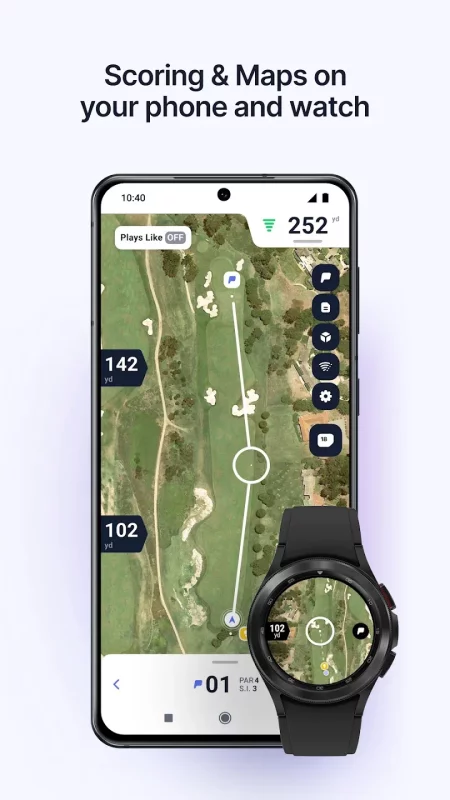
• Watch Integration: View distances and score right from your wrist. No phone needed!
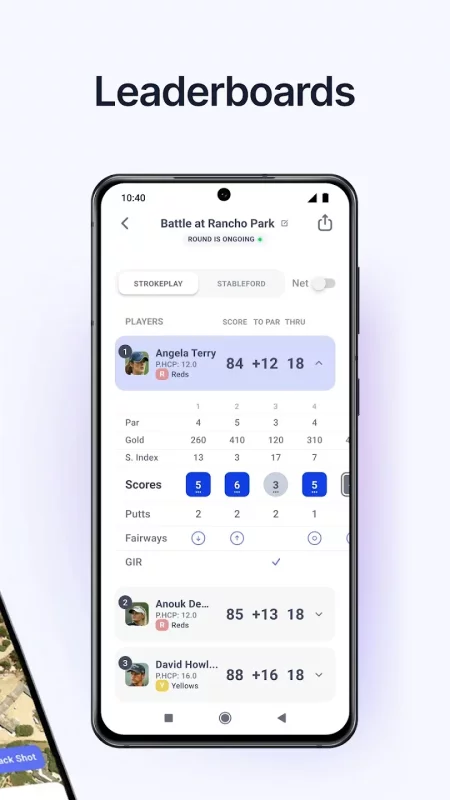
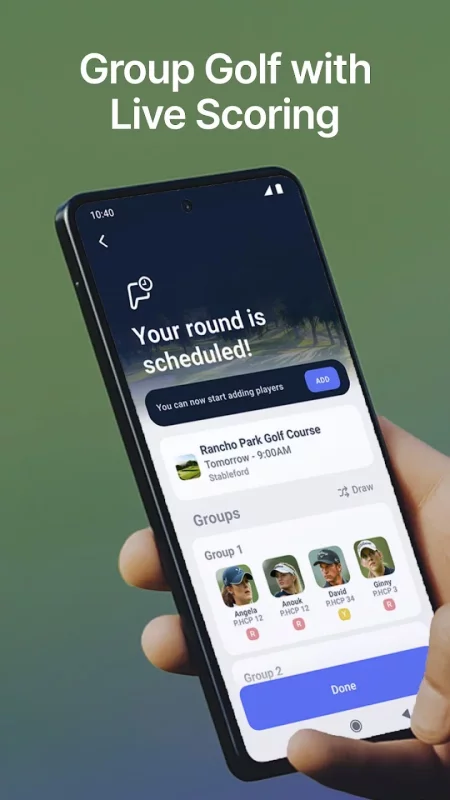
• LivePlay: Organize rounds, track scores in real-time, and share the excitement of competition, all while focusing on playing your best golf.
• Golf Social Network: Connect with fellow golfers, share scores, post course photos, and engage with the global golfing community.
• Monthly Challenges: Join a monthly challenge for a chance to win prizes.
TAKE STROKES OFF YOUR GAME WITH HOLE19 PREMIUM
Upgrade today to Hole19 Premium and benefit from score-lowering features like:
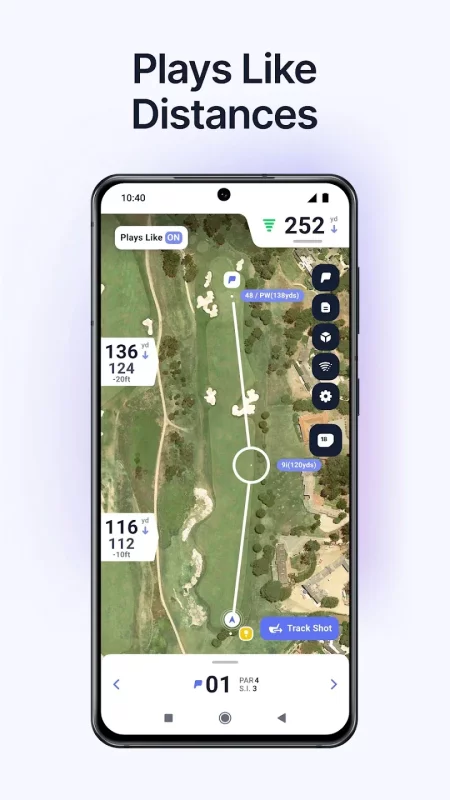
• Plays Like Distances: Conquer elevation changes with distances that show exactly how far your shots need to travel, not just flat yardage.
• Maps on Wear: Access high-detailed flyover maps right on your wrist. Master every hole with full layouts and refine your strategy like a pro.
• Club Recommendation: Never second-guess your club selection again with personalized recommendations based on your actual distances.
• Handicap Calculator: Calculate your exact handicap index and track improvement with a system that follows global standards.
• Overall Statistics: Performance statistics on your driving accuracy, greens in regulation, short game and putting.
• Game Modes: Whether you're playing solo or in a group, our flexible scoring options let you enjoy golf exactly how you want to play it.
• Shot Tracker: Track individual shots throughout a round to gain valuable insights into your game.
• Auto-change Hole: No need to change holes on your app. Walk from green to tee, and your Hole19 App will change holes automatically.
• Distance Arcs: Plan your hole with a glance. Identify optimal landing areas and distances to avoid.
• Highlights: See the highlights of your golf career summarized in one place.
• Notes: Improve your course management strategy by adding notes to any hole.
• No Ads: Enjoy an ad-free experience.
help@hole19golf.com: For technical questions and FAQs
mapping@hole19golf.com: For mapping requests
partners@hole19golf.com: Promote your brand with us
Premium features are available through in-app purchasing
Hole19 Privacy Policy: https://www.hole19golf.com/terms/privacy-policy
Terms of Use: https://www.hole19golf.com/terms
App supports WearOS and tile or complication.
Please note: We no longer support devices using Android 9 operating systems or below.
Download Hole19 Golf GPS & Range Finder for Android for free
- Download the XAPK file to your Android device.
- Install one of these installers from our website:
- Open the installer and select the downloaded file from the Downloads folder.
- Allow installation from this source if Android asks for permission.
- Start installation. To update the app, install the newer file without uninstalling the current version.