
- Update16.10.2026
- Latest Version2.0.5.1103
- Android OS9+
- LicenseFree
-
LanguagesEnglish Afrikaans, አማርኛ, العربية, অসমীয়া, Azərbaycan dili, Беларуская, Български, বাংলা, Bosanski, Català, Čeština, Cymraeg, Dansk, Deutsch, Ελληνικά, English, Español, Eesti, Euskara, فارسی, Suomi, Filipino, Français, Gaeilge, Gàidhlig, Galego, ગુજરાતી, Hausa, हिन्दी, Hrvatski, Magyar, Հայերեն, Bahasa Indonesia, Íslenska, Italiano, עברית, 日本語, ქართული, Қазақ тілі, ខ្មែរ, ಕನ್ನಡ, 한국어, कोंकणी, Кыргызча, Lëtzebuergesch, ລາວ, Lietuvių, Latviešu, Māori, Македонски, മലയാളം, Монгол, मराठी, Bahasa Melayu, Malti, မြန်မာ, Norsk bokmål, नेपाली, Nederlands, Norsk nynorsk, ଓଡ଼ିଆ, ਪੰਜਾਬੀ, Polski, Português, Runa Simi, Română, Русский, සිංහල, Slovenčina, Slovenščina, Shqip, Српски, Svenska, Kiswahili, தமிழ், తెలుగు, ไทย, Tagalog, Türkçe, Татар теле, ئۇيغۇرچە, Українська, اردو, Oʻzbekcha, Tiếng Việt, 中文, isiZulu
- Content RatingEveryone
- DeveloperMicrosoft Corporation
- Package Namecom.microsoft.familysafety
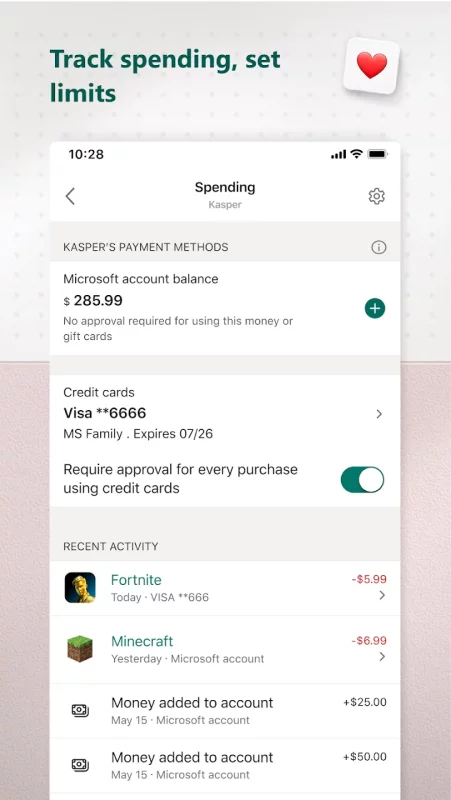
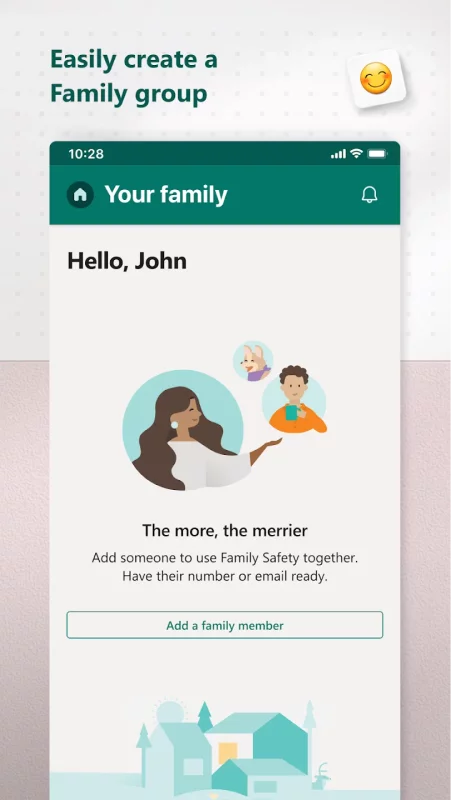
The Microsoft Family Safety app helps empower you and your family to create healthy habits and protect the ones you love. Get peace of mind that your family is staying safer while giving your kids independence to learn and grow.
This app is designed for both parents and kids.
For parents, it helps to create a safe space for their children to explore online. Set parental controls to filter inappropriate apps and games and set browsing to kid-friendly websites on Microsoft Edge.
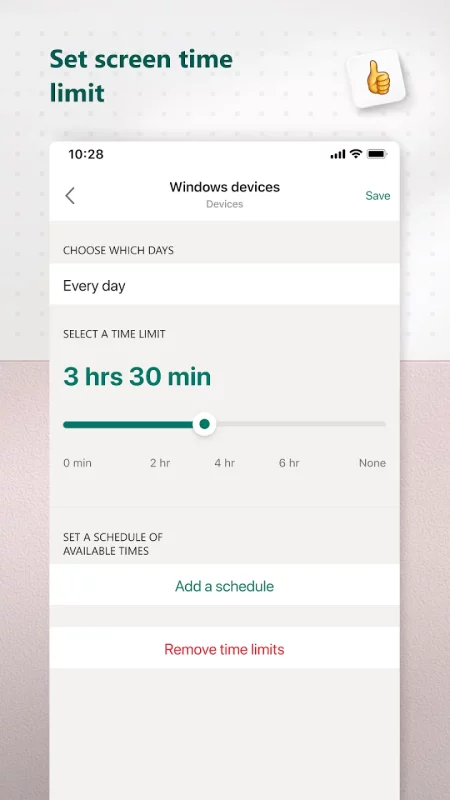
Help your kids balance their screen time activity. Set limits for specific apps and games on Android, Xbox, or Windows. Or use device management to set screen time limits across devices on Xbox and Windows.
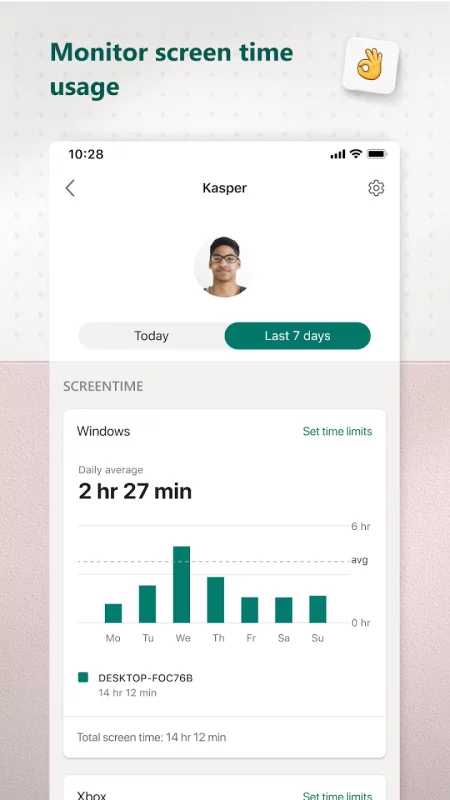
Use activity reporting to better understand your family's digital activity. View your kids’ activity in a weekly email to help start a conversation about online activity.
For kids, it ensures their safety in the digital world by adhering to parental controls and accessing age-appropriate content.
Microsoft Family Safety features:
Activity reports – Develop healthy digital habits
• Activity log of screen time and online usage
• Weekly email summary report of activity
Screen time – Find a balance
• Screen time app and game limits on Xbox, Windows, Android
• Screen time device limits on Xbox and Windows
• Get notified if your child requests more time
Content filters – Explore safely
• Web filters for kid-friendly browsing on Microsoft Edge
• Block inappropriate apps and games
Privacy & Permissions
Your privacy is important to us. We work around the clock to protect your data and information to help you keep your family safe. For example, we do not sell or share your location data with insurance companies or data brokers. We provide you with meaningful choices about how and why data is collected and used and give you the information you need to make the choices that are right for you and your family.
With your child’s consent, Microsoft Family Safety may collect interaction data using accessibility, app usage, and device admin service permissions. This allows us to: know when they are using an app, exit an app on their behalf, or block apps that are not allowed.
Disclaimers
This app is provided by either Microsoft or a third-party app publisher and is subject to a separate privacy statement and terms and conditions. Data provided through the use of this store and this app may be accessible to Microsoft or the third-party app publisher, as applicable, and transferred to, stored and processed in the United States or any other country where Microsoft or the app publisher and their affiliates or service providers maintain facilities.
Download Microsoft Family Safety for Android for free
- Download the APK file to your Android device.
- Find the file in the Downloads folder and open it.
- Allow installation from this source if Android blocks it.
- Tap Install. To update the app, install the newer APK without uninstalling the current version.