• Update
    15.10.2026
  • Latest Version
    16.13.1(262721505)(c4f56bede4)
  • Android OS
    12.1+
  • License
    Free
  • Content Rating
    Everyone
  • Developer
  • Package Name
    mega.privacy.android.app

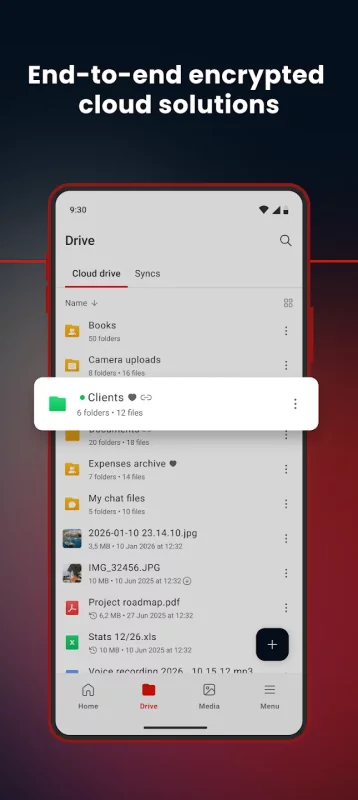
MEGA provides user-controlled encrypted cloud storage that’s accessed with web browsers and dedicated apps for mobile devices. Unlike other cloud storage providers, your data is encrypted and decrypted by your client devices only and never by us.

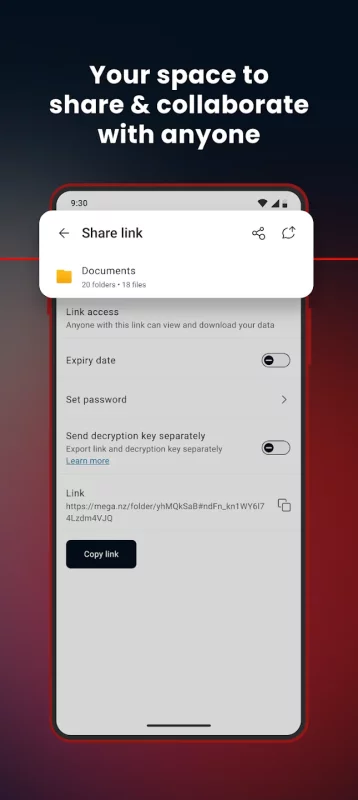
Upload files from your smartphone or tablet, then search, download, stream, view, share, rename or delete them from any device, anywhere. Share folders with your contacts and see their updates in real time.

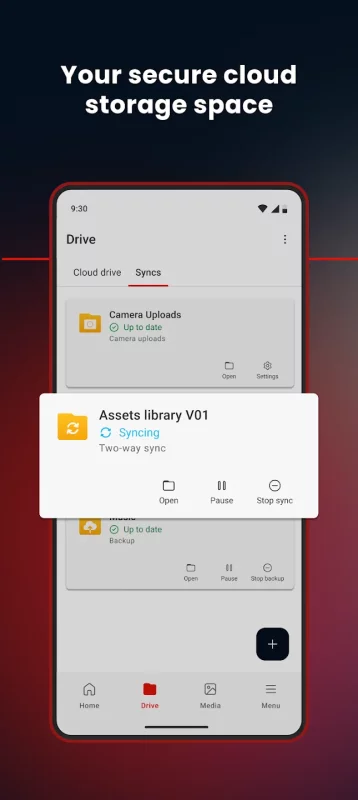
You can automatically sync your local data with your Cloud drive, ensuring your important files are always safe and accessible across all your devices. With our sync functionality, you can back up any local folder on your device to MEGA effortlessly. Additionally, our backup feature allows you to set up a one-way sync by selecting specific folders to back up seamlessly.

MEGA’s strong and secure end-to-end encryption means we cannot access or reset your password. You MUST remember the password and make sure to back up your account recovery key. Losing your password and the account recovery key will result in lost access to your files.

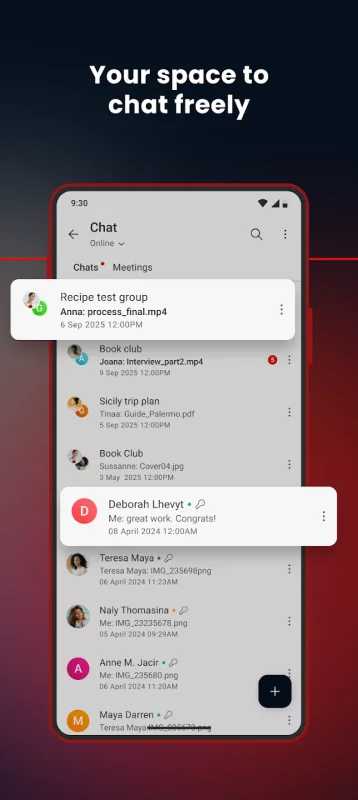
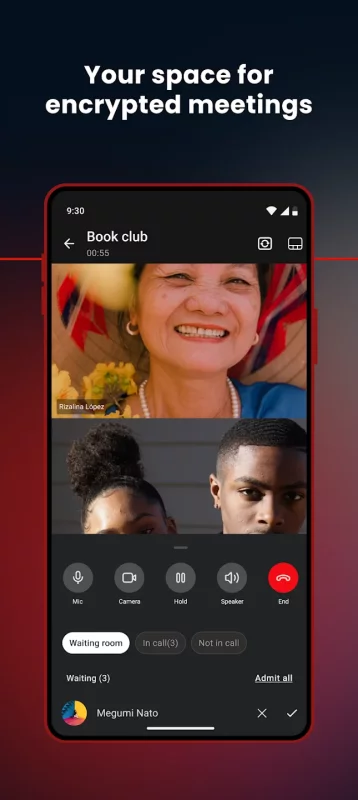
Enjoy the security and privacy of encrypted one-on-one and group chats and meetings. Our zero-knowledge encryption means that your messages, audio and video calls are safe, secure, and private. Collaborate seamlessly with your team members or friends and family with direct integration with our Cloud drive for sending and receiving encrypted files.

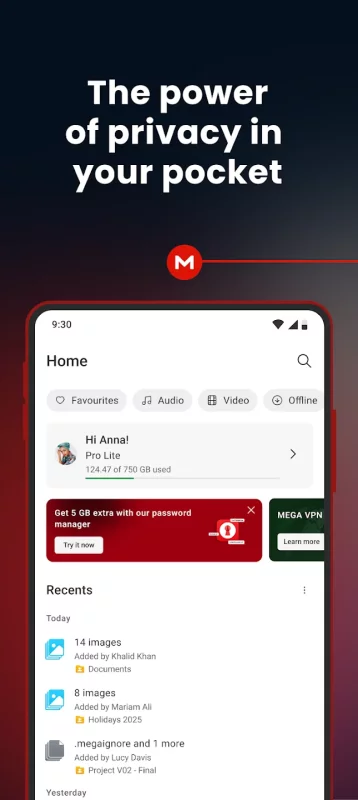
MEGA offers generous free storage for all registered users. You can get even more free storage in 5 GB increments through our MEGA Achievements Programme.

Subscriptions renew automatically for successive periods of the same duration at the same price as the initial period chosen. To manage your subscriptions, simply tap on the Play Store icon on your device, sign in with your Google ID (if you haven’t already done so), then tap on the MEGA app.

All MEGA client-side application code is published on GitHub, for transparency. The code of our Android mobile app is located at: https://github.com/meganz/android

App permissions (optional):
Contacts: MEGA accesses your contacts so you can add them from your device.
Microphone: MEGA accesses your microphone when you capture a video, make a call or record voice messages in the app.
Camera: MEGA accesses your camera when you capture a video or photo, or make a call in the app.
Nearby devices: MEGA accesses nearby devices so you can use Bluetooth devices to join calls in the app.
Notifications: MEGA sends notifications about chat messages, calls, transfer progress, contact requests, or incoming shares from other users.
Media (photos, videos, music and audio): MEGA accesses your media files when you upload, share through chat and when camera uploads is enabled.
Location: MEGA accesses your location when you share it with your contacts in chat.

MEGA’s Terms of Service: https://mega.io/terms
Privacy and Data Policy: https://mega.io/privacy
Download MEGA for Android for free

Download MEGA 16.13.1(262721505)(c4f56bede4) xapk Android 12.1+ ARMV7
93.27 Mb
No viruses found
Permissions (35)
Detections: 0
Check date: 15 October 2026, 11:15
The file was scanned for viruses using VirusTotal.
ACCESS_COARSE_LOCATION - allows an app to access approximate location.
ACCESS_FINE_LOCATION - allows an app to access precise location.
ACCESS_MEDIA_LOCATION - allows an application to access any geographic locations persisted in the user's shared collection.
ACCESS_NETWORK_STATE - allows applications to access information about networks.
BLUETOOTH - allows applications to connect to paired bluetooth devices.
BLUETOOTH_CONNECT - required to be able to connect to paired bluetooth devices.
CAMERA - required to be able to access the camera device.
CHANGE_NETWORK_STATE - allows applications to change network connectivity state.
FOREGROUND_SERVICE - allows a regular application to use service.startforeground.
FOREGROUND_SERVICE_CAMERA - allows a regular application to use service.startforeground with the type "camera".
FOREGROUND_SERVICE_DATA_SYNC - allows a regular application to use service.startforeground with the type "datasync".
FOREGROUND_SERVICE_MEDIA_PLAYBACK - allows a regular application to use service.startforeground with the type "mediaplayback".
FOREGROUND_SERVICE_MICROPHONE - allows a regular application to use service.startforeground with the type "microphone".
FOREGROUND_SERVICE_PHONE_CALL - allows a regular application to use service.startforeground with the type "phonecall".
INTERNET - allows applications to open network sockets.
MANAGE_OWN_CALLS - allows a calling application which manages its own calls through the self-managed connectionservice apis.
MODIFY_AUDIO_SETTINGS - allows an application to modify global audio settings.
POST_NOTIFICATIONS - allows an app to post notifications
READ_BASIC_PHONE_STATE - allows read only access to phone state with a non dangerous permission, including the information like cellular network type, software version.
READ_CONTACTS - allows an application to read the user's contacts data.
READ_EXTERNAL_STORAGE - allows an application to read from external storage.
READ_MEDIA_AUDIO - allows an application to read audio files from external storage.
READ_MEDIA_IMAGES - allows an application to read image files from external storage.
READ_MEDIA_VIDEO - allows an application to read video files from external storage.
READ_MEDIA_VISUAL_USER_SELECTED - allows an application to read image or video files from external storage that a user has selected via the permission prompt photo picker.
RECEIVE_BOOT_COMPLETED - allows an application to receive the intent.action_boot_completed that is broadcast after the system finishes booting.
RECORD_AUDIO - allows an application to record audio.
REQUEST_IGNORE_BATTERY_OPTIMIZATIONS - permission an application must hold in order to use settings.action_request_ignore_battery_optimizations.
REQUEST_INSTALL_PACKAGES - allows an application to request installing packages.
SYSTEM_ALERT_WINDOW - allows an app to create windows using the type windowmanager.layoutparams.type_application_overlay, shown on top of all other apps.
USE_BIOMETRIC - allows an app to use device supported biometric modalities.
USE_FINGERPRINT - this constant was deprecated in api level 28. applications should request use_biometric instead
VIBRATE - allows access to the vibrator.
WAKE_LOCK - allows using powermanager wakelocks to keep processor from sleeping or screen from dimming.
WRITE_EXTERNAL_STORAGE - allows an application to write to external storage.
SHA1 signature: 0cc7f762b2b1d3e44092f2c8ab8b0eb42e5a60fd
SHA256 signature: b7f9372b649f4c9d03f4cbc74c37b218e94b03cdf95fd8142d76225fe62393d9
How to install XAPK
  1. Download the XAPK file to your Android device.
  2. Install one of these installers from our website:
  3. Open the installer and select the downloaded file from the Downloads folder.
  4. Allow installation from this source if Android asks for permission.
  5. Start installation. To update the app, install the newer file without uninstalling the current version.

⚠If the download fails or gets stuck, try enabling a VPN, disabling your ad blocker, or switching to a different network.
See also
Latitude Longitude
Latitude Longitude
Latitude and Longitude app for android allows you to get or share map coordinates of your current
Find My Phone: Find Lost Phone
Find My Phone has over 15 Million downloads. Find Lost Phone is one of best lost phone finder
Instacart: Get Food Delivery
Get food delivery and grocery orders delivered directly to your door in as fast as 30 minutes with
TikTok - Videos, Shop & LIVE
TikTok is the global discovery platform for videos, streaming on LIVE, shopping, and more. Our
Zillow: Homes for Sale & Rent
Find your new home to buy or rent with expert real estate tools and millions of listings right at
Samsung Find: Location Sharing
Samsung Find lets you share your location with your loved ones, like your family and friends, and
Step Counter - Pedometer
Wonder how many steps you take throughout the day? Want an easy pedometer and walking app to track
AirDroid: File & Remote Access
AirDroid is your best personal mobile device management suite, which is built on 10 years of
Comments (0)
Loading comments...