Grifols Plasma Donor Hub

Grifols Plasma Donor Hub

0 votes
  • Update
    14.10.2026
  • Latest Version
    13.6.7
  • Android OS
    7.0+
  • License
    Free
  • Languages
    English
  • Content Rating
    Everyone
  • Developer
  • Package Name
    com.mysalesforce.mycommunity.C00D6g000000DEMvEAO.A0OT3p000000CaRIGA0

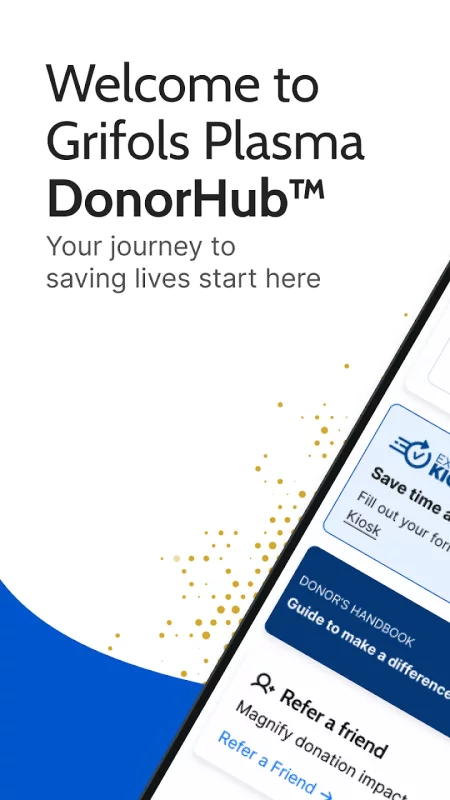
Your Plasma Donation experience just got smoother! 🩸✨ Grifols DonorHubTM is your go-to place for all your plasma donor needs.
Use Grifols DonorHub™ to:
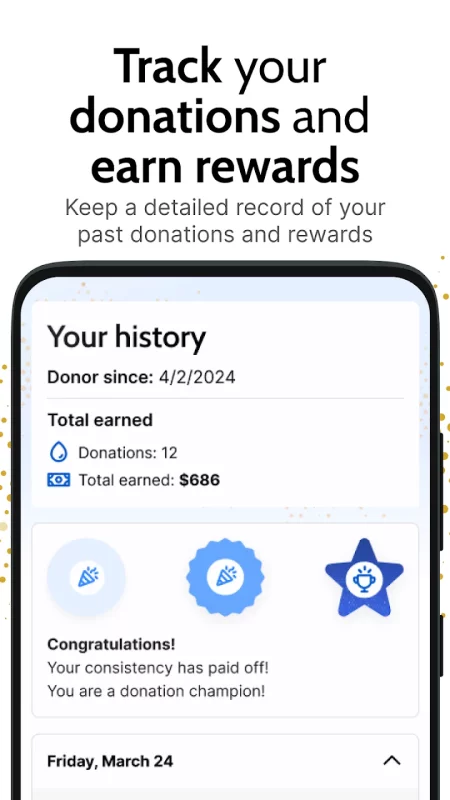
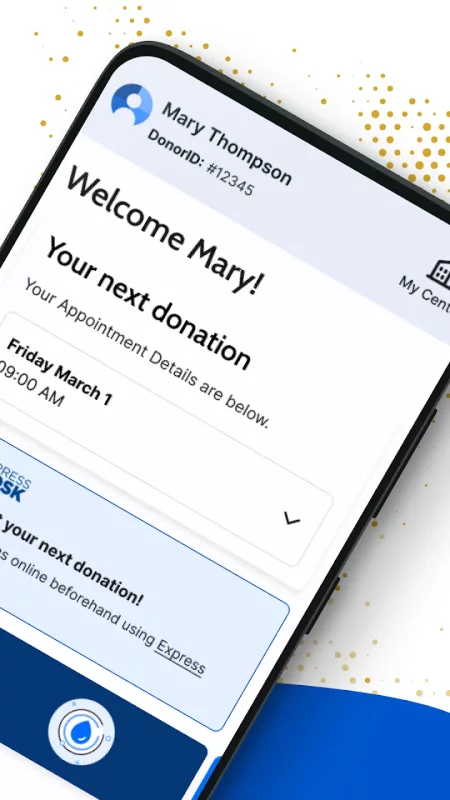
• 📊 Check your donation and compensation history - Details of your most recent donation are available in Grifols DonorHub™ 24 hours after your visit.
• 📲 Stay up-to-date on all things Grifols Plasma- Enable push notifications to never miss an update.
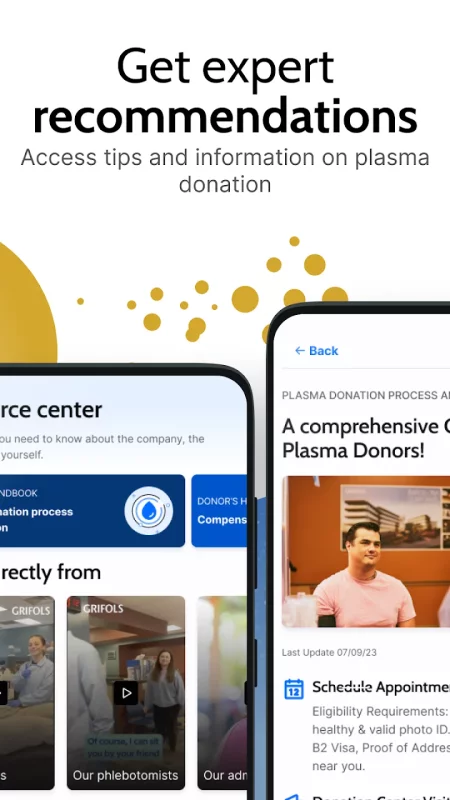
• 💡 Receive tips to help prepare for your next plasma donation.
• 🔍 Learn what happens to your plasma after your donation.
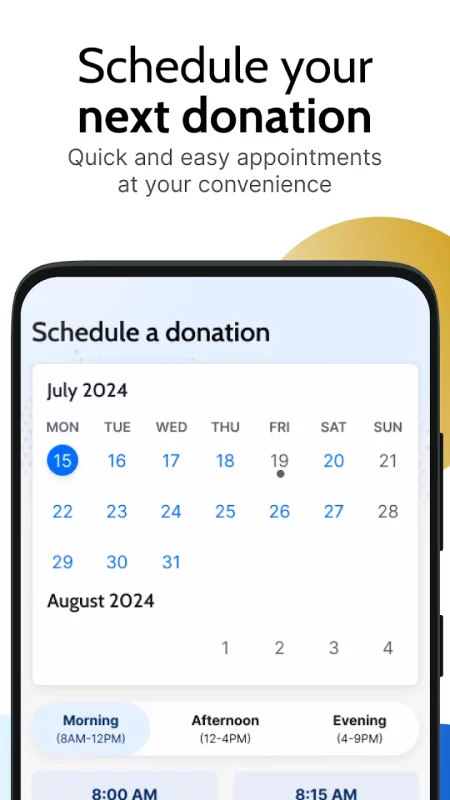
• 📅 Schedule your donation appointments.
• Refer a Friend: Spread the Word & Earn Rewards: Easily refer friends and family to become plasma donors.
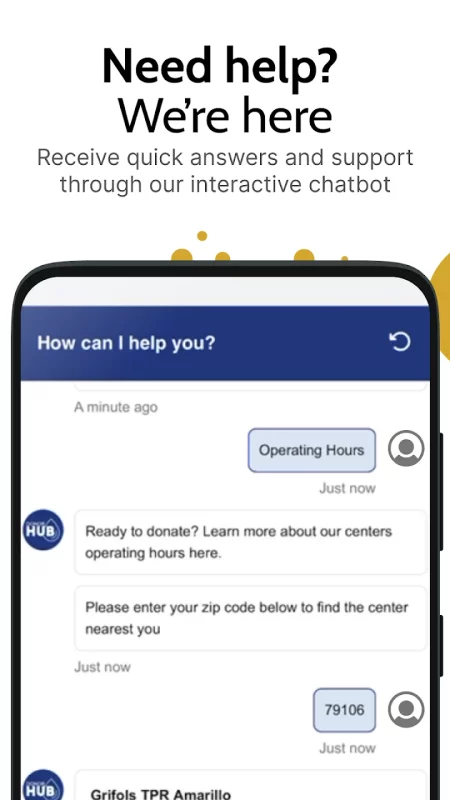
• Ask the Chatbot any question you have

Tips for a Better Donation Experience
1. Drink at least 12-to-24 ounces of water or a sports drink 30-to-60 minutes before your donation. Proper hydration helps ensure the procedure is well-tolerated and recovery is quicker.
2. Limit caffeinated beverages and milk on the day of your donation, as they reduce iron absorption and can elevate your pulse.
3. Avoid alcohol the day before and the day of your donation to prevent dehydration.
4. Avoid foods high in saturated fats and cholesterol the night before your donation, as they can make the donation process longer.
5. Get a good night’s rest before your donation to aid in quicker recovery.
6. Discontinue and avoid all tobacco products before donating, as they may increase your blood pressure and heart rate.
Getting started is easy:
If you're already registered in Grifols DonorHub™:
Just download the app and log in! The Grifols DonorHub™ app has all the features found in the web version. If you're not registered yet:
Download the Grifols DonorHub™ app.
Register for Grifols DonorHub™: Enter your registration number, name, date of birth, mobile phone number, email address, and choose a password.
Don’t forget to turn on notifications for Grifols DonorHub™!
Stay connected with us:
🌐 Visit our website: https://www.grifolsplasma.com/en/donor-hub
📘 Follow us on Facebook: https://www.facebook.com/grifolsplasma1940
📸 Follow us on Instagram: https://www.instagram.com/grifolsplasma_us/?locale=fr
💬 Join our WhatsApp channel: https://www.whatsapp.com/channel/0029VacoAHFHltYELrquem3R
Download Grifols Plasma Donor Hub for Android for free

Download Grifols Plasma Donor Hub 13.6.7 xapk Android 7.0+ ARMV8
74.33 Mb
No viruses found
Permissions (20)
Detections: 0
Check date: 14 October 2026, 16:15
The file was scanned for viruses using VirusTotal.
ACCESS_NETWORK_STATE - allows applications to access information about networks.
ACCESS_WIFI_STATE - allows applications to access information about wi-fi networks.
EXPAND_STATUS_BAR - allows an application to expand or collapse the status bar.
INTERNET - allows applications to open network sockets.
MODIFY_AUDIO_SETTINGS - allows an application to modify global audio settings.
POST_NOTIFICATIONS - allows an app to post notifications
READ_CALENDAR - allows an application to read the user's calendar data.
READ_EXTERNAL_STORAGE - allows an application to read from external storage.
READ_PHONE_STATE - allows read only access to phone state, including the current cellular network information, the status of any ongoing calls, and a list of any phoneaccounts registered on the device.
RECEIVE_BOOT_COMPLETED - allows an application to receive the intent.action_boot_completed that is broadcast after the system finishes booting.
RECORD_AUDIO - allows an application to record audio.
SYSTEM_ALERT_WINDOW - allows an app to create windows using the type windowmanager.layoutparams.type_application_overlay, shown on top of all other apps.
USE_BIOMETRIC - allows an app to use device supported biometric modalities.
USE_FINGERPRINT - this constant was deprecated in api level 28. applications should request use_biometric instead
VIBRATE - allows access to the vibrator.
WAKE_LOCK - allows using powermanager wakelocks to keep processor from sleeping or screen from dimming.
WRITE_CALENDAR - allows an application to write the user's calendar data.
WRITE_EXTERNAL_STORAGE - allows an application to write to external storage.
WRITE_SETTINGS - allows an application to read or write the system settings.
SHA1 signature: 9d19f6784107f161b261bf241090aa2bda2d534d
SHA256 signature: d3196974b228ef3729261cfcec701dac7bd8fa8ac424d5b54453765197931567
How to install XAPK
  1. Download the XAPK file to your Android device.
  2. Install one of these installers from our website:
  3. Open the installer and select the downloaded file from the Downloads folder.
  4. Allow installation from this source if Android asks for permission.
  5. Start installation. To update the app, install the newer file without uninstalling the current version.

⚠If the download fails or gets stuck, try enabling a VPN, disabling your ad blocker, or switching to a different network.
See also
Instacart: Get Food Delivery
Get food delivery and grocery orders delivered directly to your door in as fast as 30 minutes with
Latitude Longitude
Latitude Longitude
Latitude and Longitude app for android allows you to get or share map coordinates of your current
Find My Phone: Find Lost Phone
Find My Phone has over 15 Million downloads. Find Lost Phone is one of best lost phone finder
ChatBox: AI Chat Bot Assistant
Meet Your Ultimate AI Chatbot & Personal Assistant Welcome to ChatBox, your cutting-edge AI
Zillow: Homes for Sale & Rent
Find your new home to buy or rent with expert real estate tools and millions of listings right at
Sideline: 2nd Phone Line App
Sideline gives you a second phone number for calling and texting—so you can stay connected without
Step Counter - Pedometer
Wonder how many steps you take throughout the day? Want an easy pedometer and walking app to track
Calorie Counter by Lose It!
Lose It! Is your personal calorie counter, diet planner, nutrition-focused food tracker and weight
Comments (0)
Loading comments...